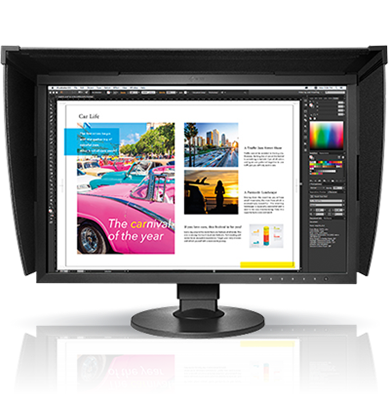



Color management is the practice of keeping color consistent as an image moves through every stage of production, from the camera or design file to the screen, proof, and final printed piece. Without it, a brand blue can shift from one monitor to another, and a proof can look nothing like the press sheet. This guide explains how color management works and which tools help you control it.
What Is Color Management?
Color management uses calibrated hardware, software, and standardized profiles to make sure every device interprets color the same way. Each monitor, printer, and scanner has its own color range, so a color that looks vibrant on one device may appear dull on another. Color management translates those differences so the result matches the original intent.
The core tools are calibration devices, ICC profiles, and color measurement software. A calibration device adjusts a monitor to a known standard, while an ICC profile describes how a specific printer or press reproduces color. Together, they give your team a shared reference point.
Why Process Control Matters
Process control keeps color stable over time. Printers drift as inks age, media changes, and environmental conditions shift. Regular measurement catches these changes early, before they lead to rejected jobs or costly reprints.
Measurement tools such as spectrophotometers and densitometers track color, density, and other critical values. When you review these numbers on a regular schedule, you can correct problems at the source and keep output on target from one run to the next.
Proofing and Standard Lighting
A proof is a preview of the finished piece that lets clients and stakeholders approve color before full production begins. Digital and hardware proofing systems can simulate the look of a press run, so approvals are based on a realistic expectation.
Lighting plays an equally important role. Colors look different under different light sources, so evaluating prints in an uncontrolled room can lead to mistakes. Standard viewing booths and color matching cabinets provide consistent illumination, so every reviewer sees the same color under the same conditions.
Workflow Automation for Color
Automation reduces the manual steps where errors tend to occur. Automated color management applies the correct profiles and settings to each job, while job scheduling and tracking tools keep projects moving. Fewer manual adjustments mean fewer mistakes, faster turnaround, and more predictable output.
Quality Consumables
Consistent color also depends on the materials you use. Inks, papers, and calibration targets all influence the final result. Choosing consumables from reliable manufacturers helps ensure that your printed color matches the profiles and proofs you have built.
Get Started with Color Management
Accurate, consistent color comes from combining the right tools with a repeatable process. Start by calibrating your displays, profiling your output devices, and setting up a regular measurement schedule. Then add proofing and controlled lighting to tighten your approvals.
Explore the ColorManagement.com catalog to find viewing, measurement, proofing, and software solutions for your workflow. If you need help choosing the right setup, contact our team or browse our directory of color consultants.