



ColorThink 4
Price range: $449.00 through $997.00
CHROMiX ColorThink 4 — Professional ICC Profile Analysis & 3D Gamut Graphing Software
CHROMiX ColorThink 4 modernizes color evaluation, 3D gamut visualization, and profile management for commercial printing, pre-press, proofing, and photography workflows. Featuring direct instrument measurement, advanced gamut subtraction, dynamic 3D image animation, and automated asset tracking, ColorThink 4 gives color professionals complete control over their color reproduction.
Key Features & Capabilities
- Direct Spectrophotometer Measurement: Automatically detects connected instruments (X-Rite i1Pro/iSis/eXact, Konica Minolta MYIRO-9, Barbieri Spectro LFP, Techkon SpectroDens) to stream measurements directly into the 3D Grapher or Worksheet.
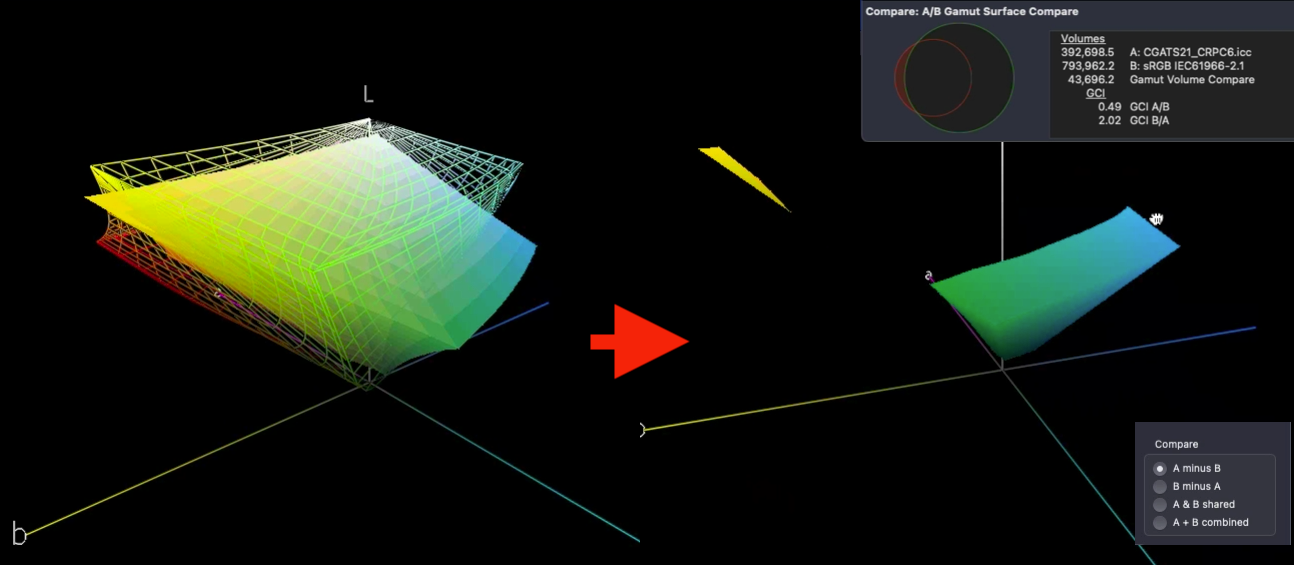
- Gamut Comparison & GCI Math: Subtract or combine two color gamuts (e.g., sRGB vs. Press Profiles) to visualize out-of-gamut press colors and compute the Gamut Comparison Index (GCI) based on ISO standards.
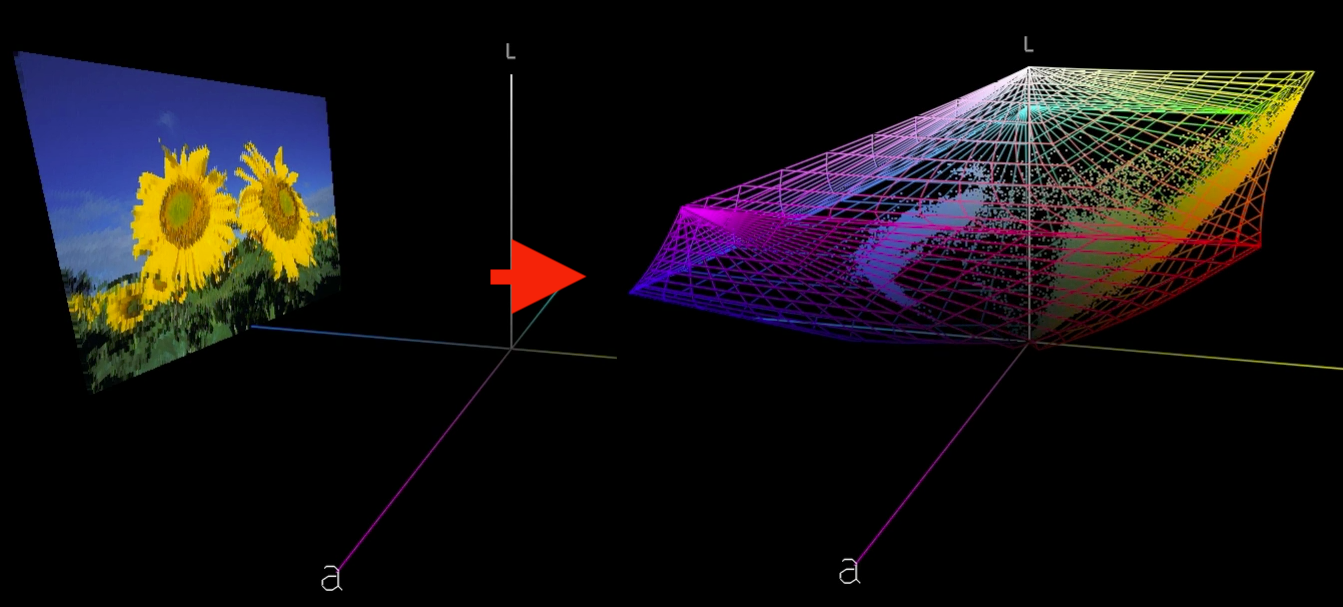
- Dynamic 3D Image Animation: Animate images between standard 2D displays and 3D Lab color space distributions against wireframe profile boundaries.
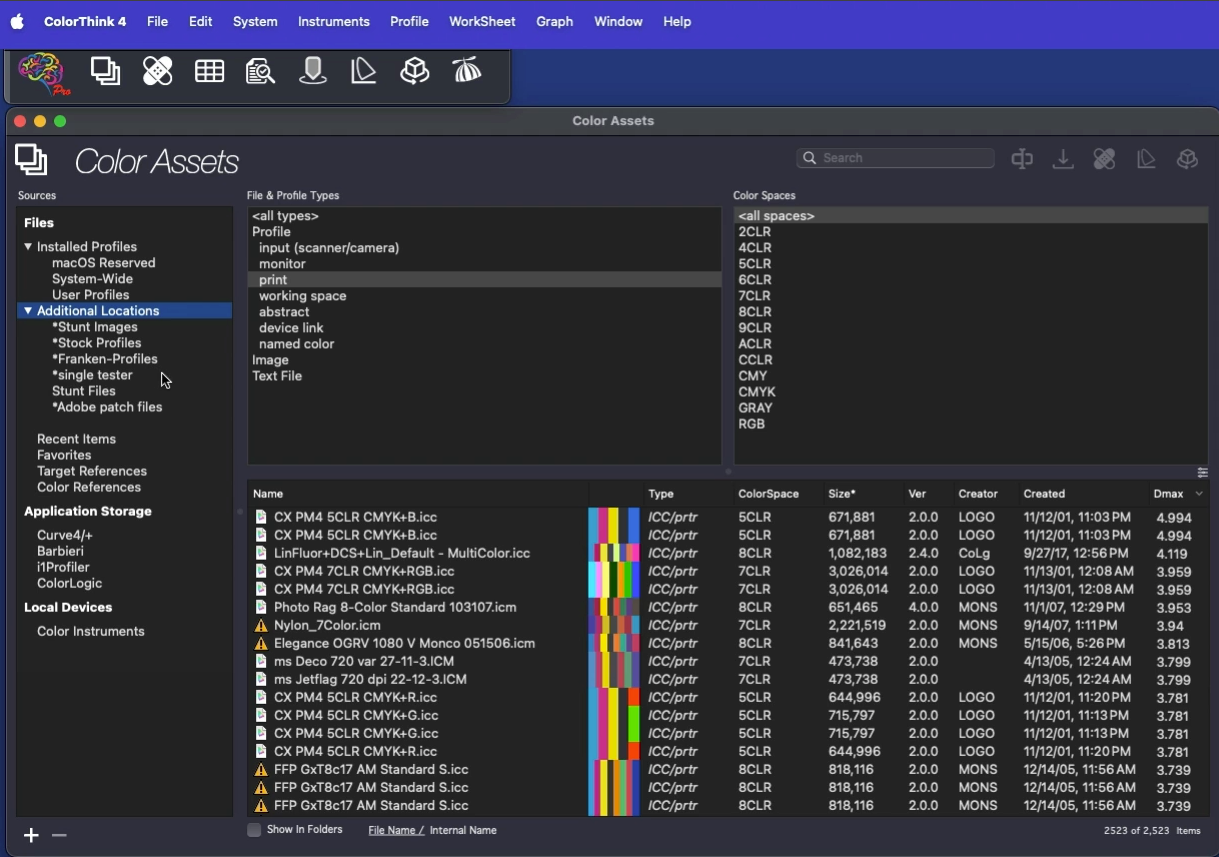
- Color Asset Management: Automatically index system profiles and custom folder directories to sort assets by primary colors, gamut volume, Dmax, and Profile Medic status.
- Flexible White Point Editor: Modify profile white points dynamically using XYZ, Lab, correlated color temperature, or direct paper substrate measurements.
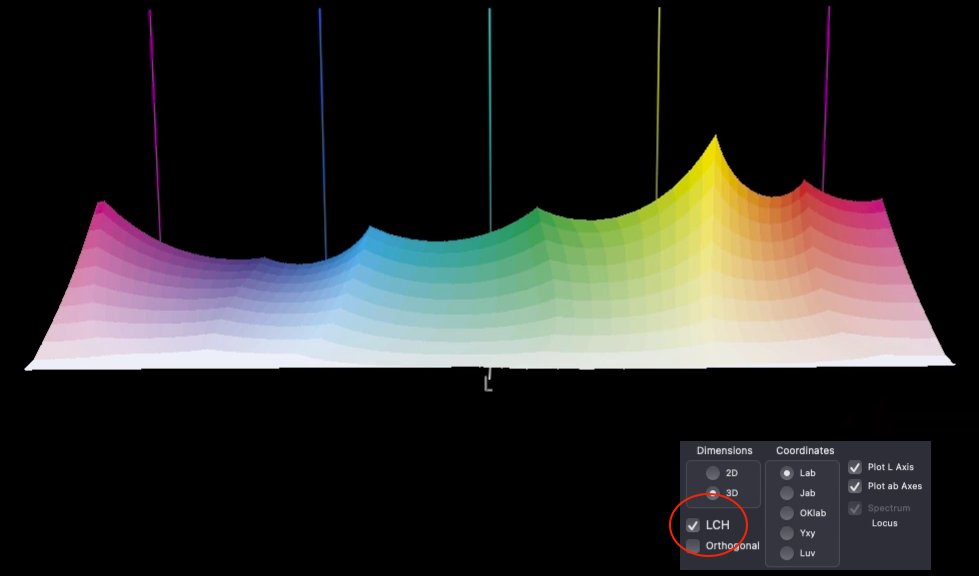
- LCH, Jab & OKLab Coordinate Views: Unfold color profiles along LCH, Jab, or OKLab straight-line modes to evaluate relative hue, chroma, and saturation uniformity across datasets.
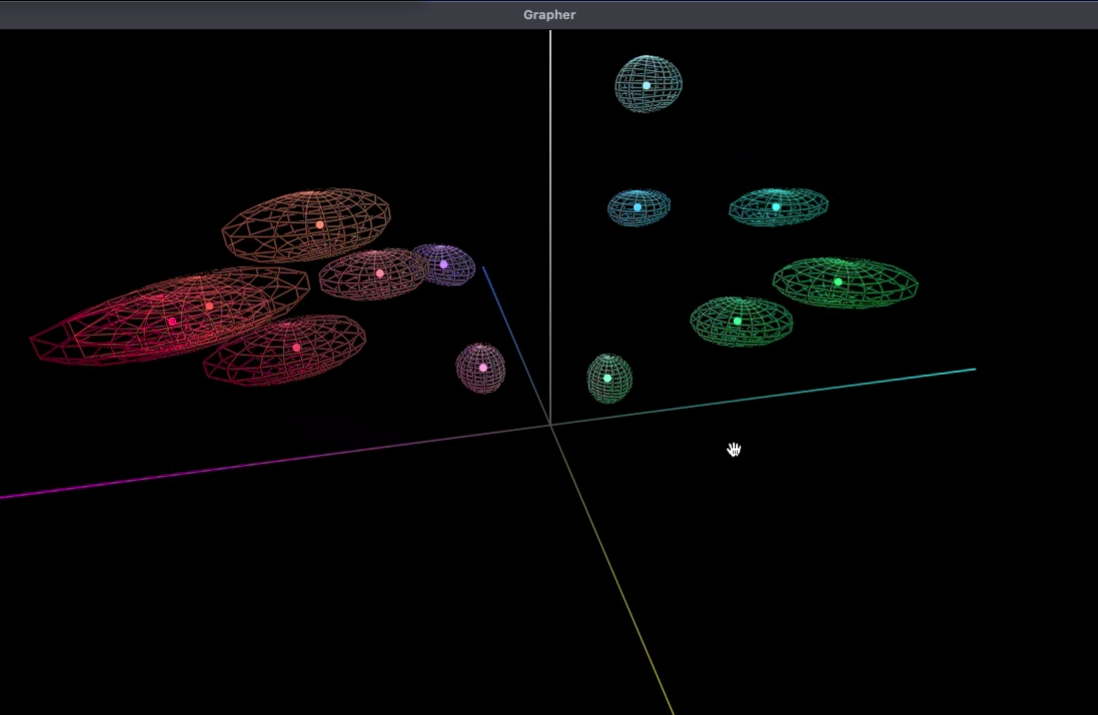
- 3D Delta-E Visualizations: Inspect color tolerance thresholds in 3D using Delta-E 76 and Delta-E 2000 error spheres.
Who Needs CHROMiX ColorThink 4?
- Commercial Printers & Pre-press Operators: Verify press profiles, measure proofing accuracy, and streamline workflow profiles.
- Photographers & Fine Art Printmakers: Inspect media gamuts, find deepest blacks (Dmax), and optimize soft-proofing.
- Brand Managers & Quality Control Teams: Enforce brand color tolerances and analyze gamut differences across multi-substrate printing environments.
Related products
Price range: $2,460.00 through $4,980.00
Price range: $308.00 through $1,148.00
Price range: $560.00 through $1,584.00
Price range: $668.00 through $2,520.00