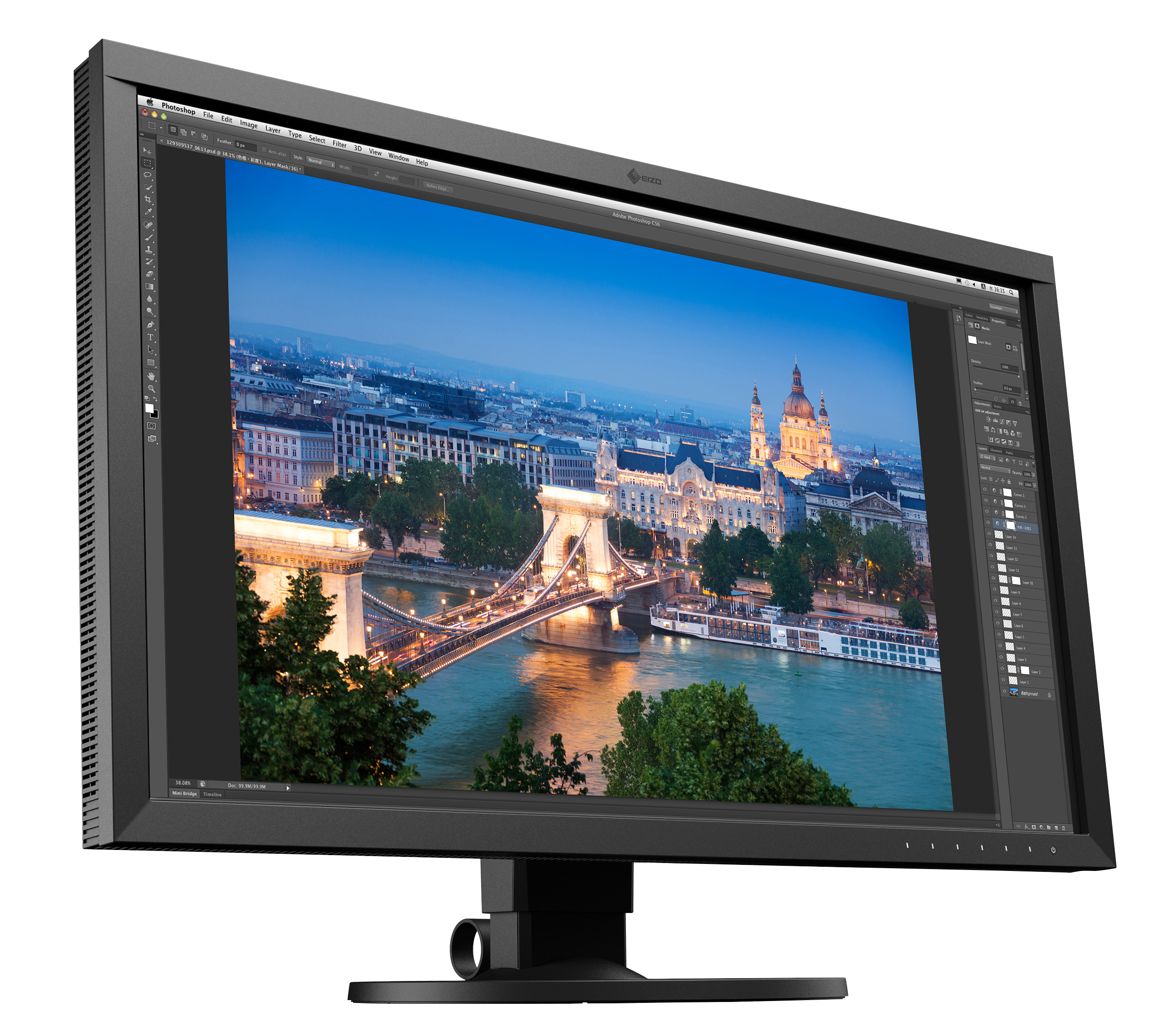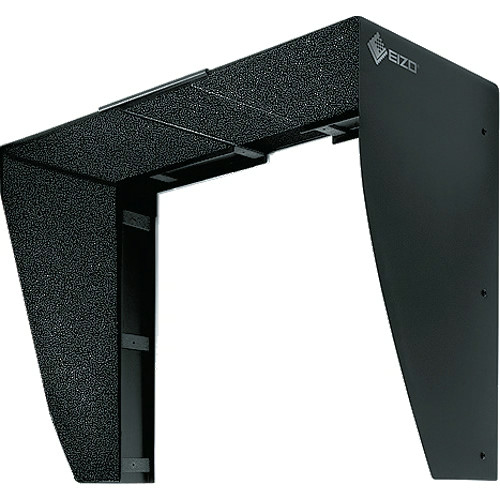


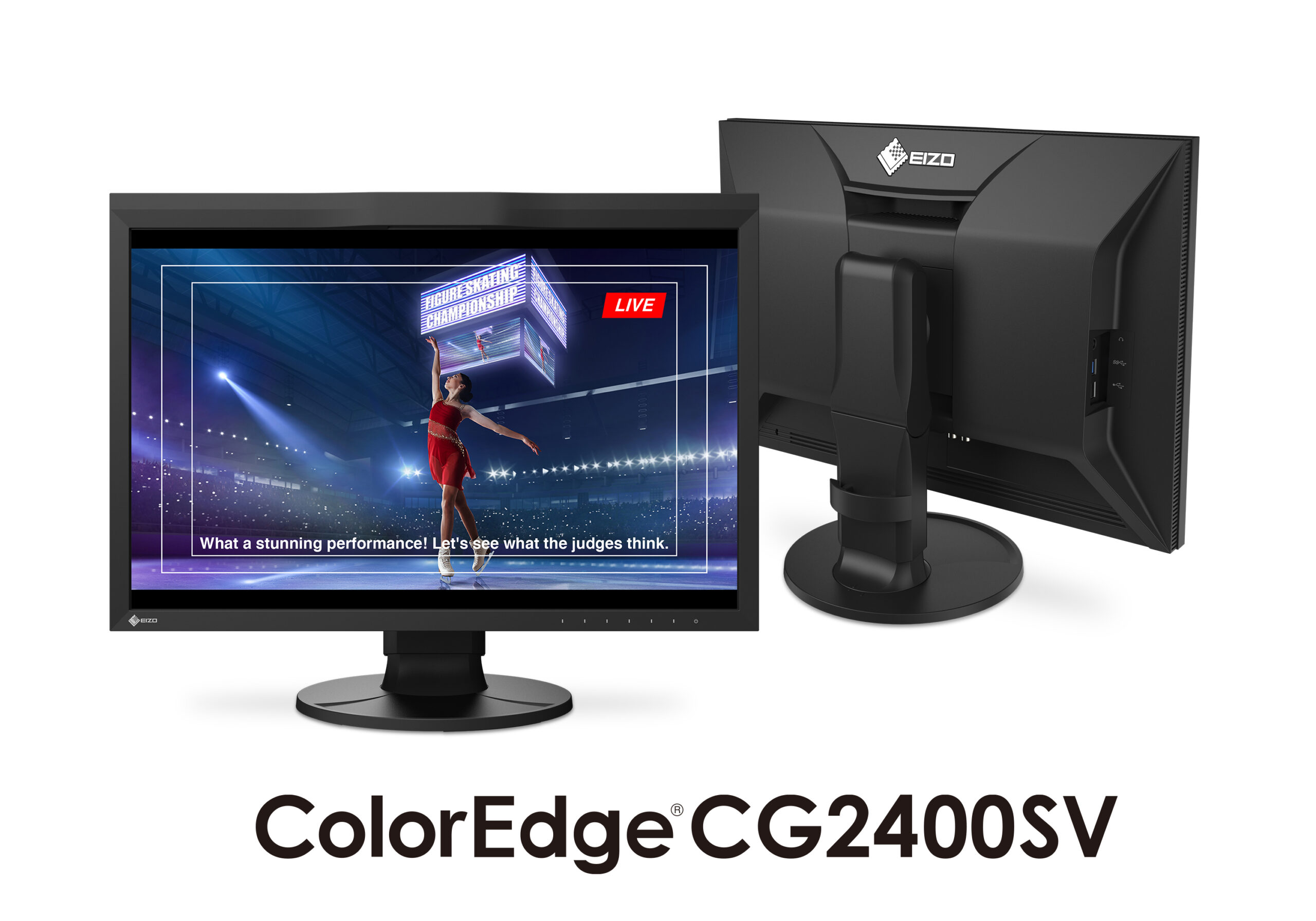
ColorEdge CG2400SV 24.1″ LCD IPS Monitor Bundled w/ Hood
| Weight | 27 lbs |
|---|---|
| Dimensions | 25 × 21 × 12 in |
| Brand |

Precision that Performs Live
This 24.1-inch WUXGA (1920 x 1200) monitor features SDI connectivity for seamless integration into professional broadcast and video production workflows. Whether on-site or in-studio, its compact design, built-in self-calibration sensor, and HDR gamma support help ensure every moment is displayed in stunning detail.

Advanced Connectivity
SDI Connectivity
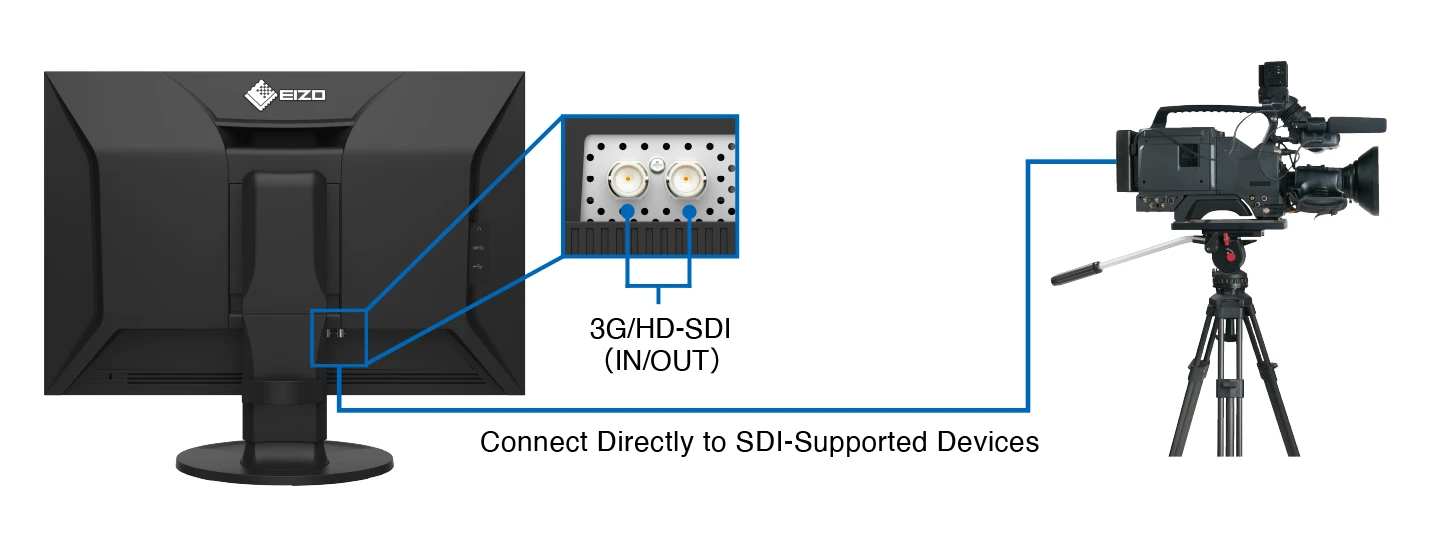
The CG2400SV features SDI input and output terminals, supporting 3G-SDI Level A and HD-SDI signals. SDI connectivity enables the transmission of uncompressed video signals, preserving the full fidelity of HDR content without introducing visual artifacts. This ensures seamless integration with professional camera systems and live video feeds, making the monitor a reliable solution for accurate monitoring on-site and in-studio.
Flexible Connection, Sleek Cabinet Design
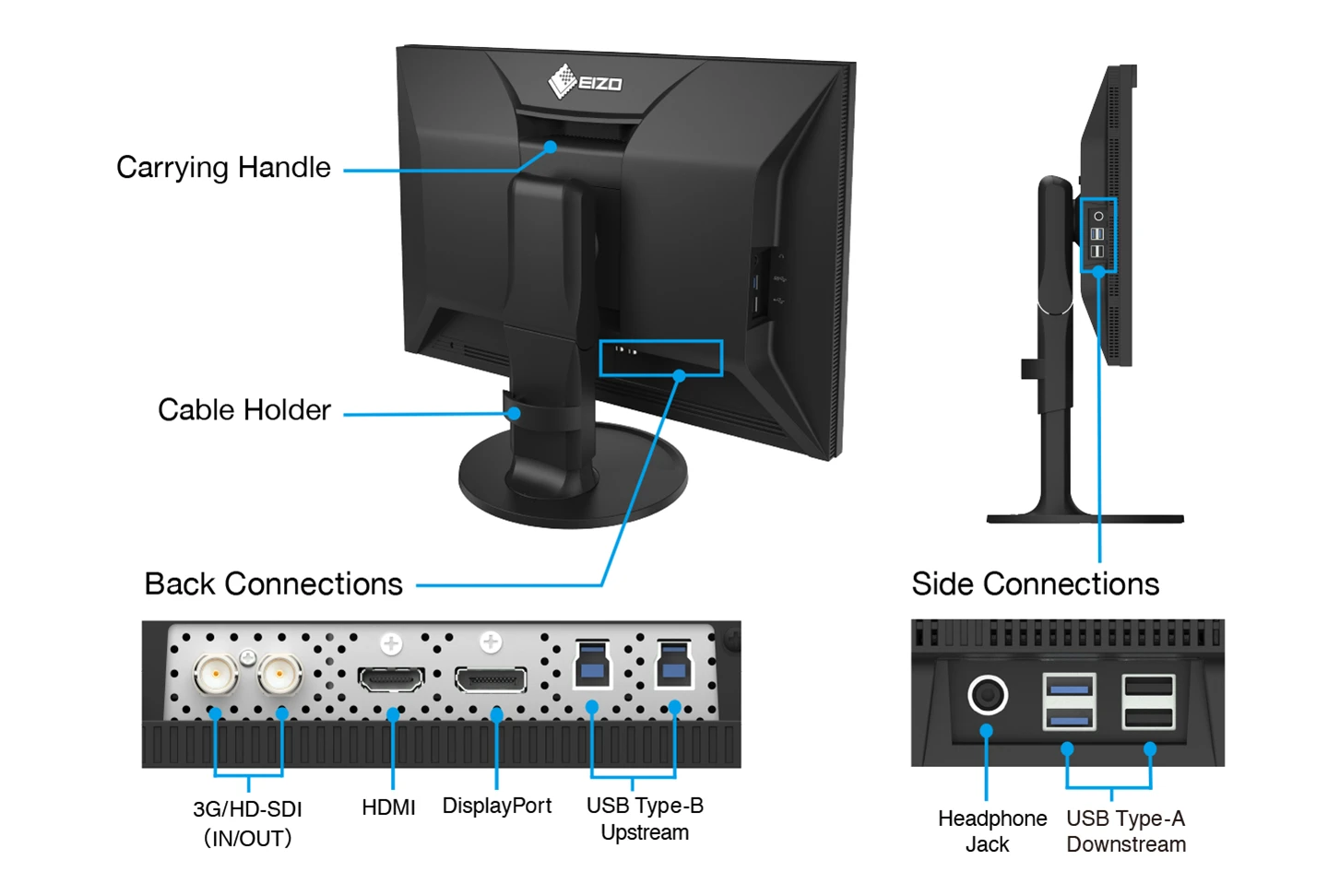
In addition to SDI, the CG2400SV includes DisplayPortTM and HDMI® terminals, as well as two USB Type-B inputs. Four USB ports (USB 5Gbps: Type A x 2, USB 2.0: Type-A x 2) are also easily accessible from the side for connecting additional devices or peripherals.
A sleek cabinet design with rounded edges and a non-intrusive stand base allows the monitor to fit comfortably in any creative environment, while a built-in carrying handle on the back provides a stable grip for smooth relocation or transportation.
Headphone Jack for Direct Audio Output
The CG2400SV features a headphone jack for conveniently checking audio content.
Color Precision
Industry Standard Color Reproduction with Broadcast and Cinema Presets
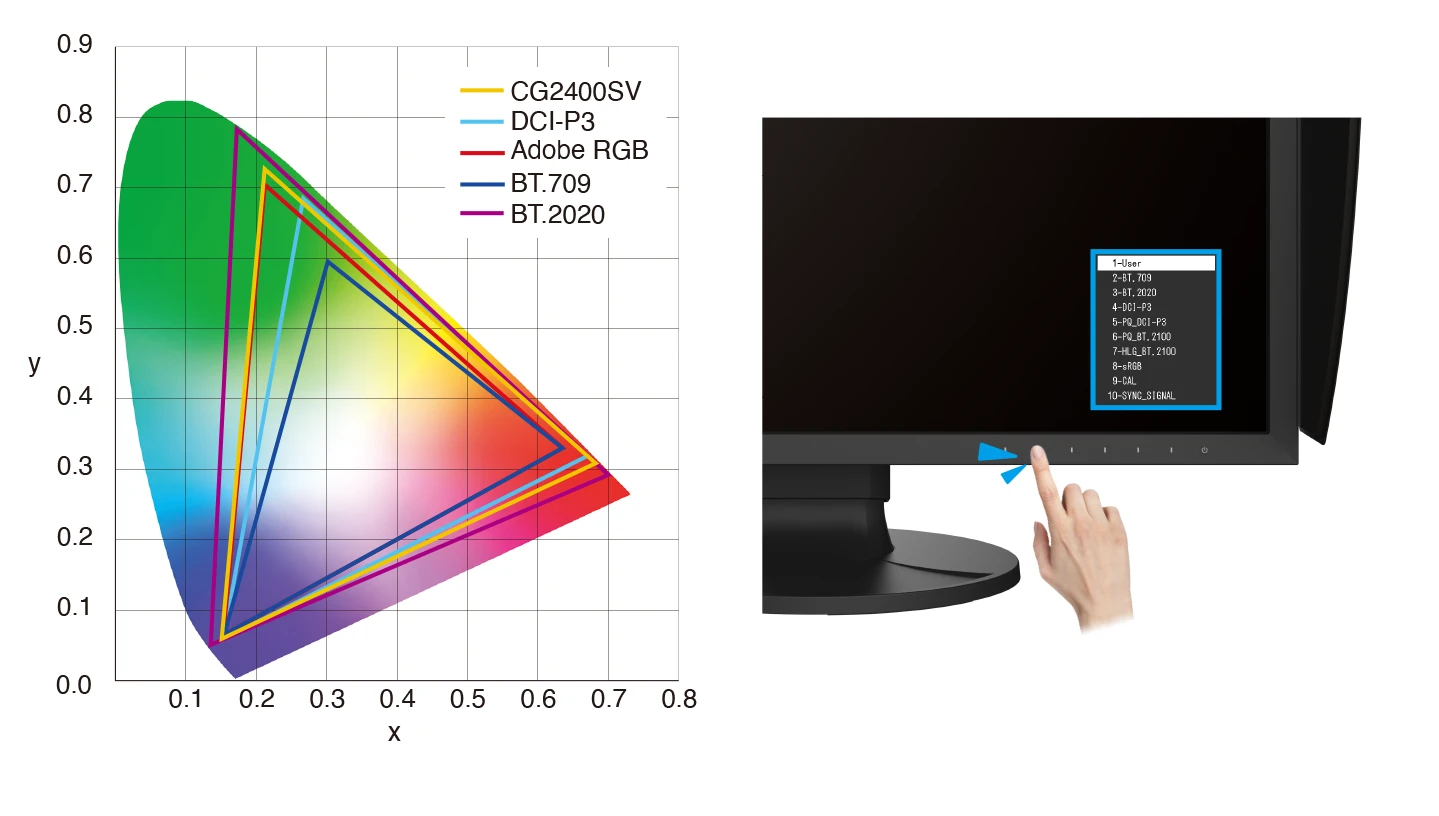
The monitor’s wide color gamut covers 98% of the DCI-P3 standard used in digital cinema and supports the BT.2020 standard used in broadcasting for exceptionally faithful reproduction of color. It also covers 99% of the Adobe RGB color space so images and video shot in Adobe RGB will be displayed correctly. Color mode presets can easily be changed via the switches on the front of the monitor, enabling straightforward color management for each project.
10-Bit Simultaneous Display
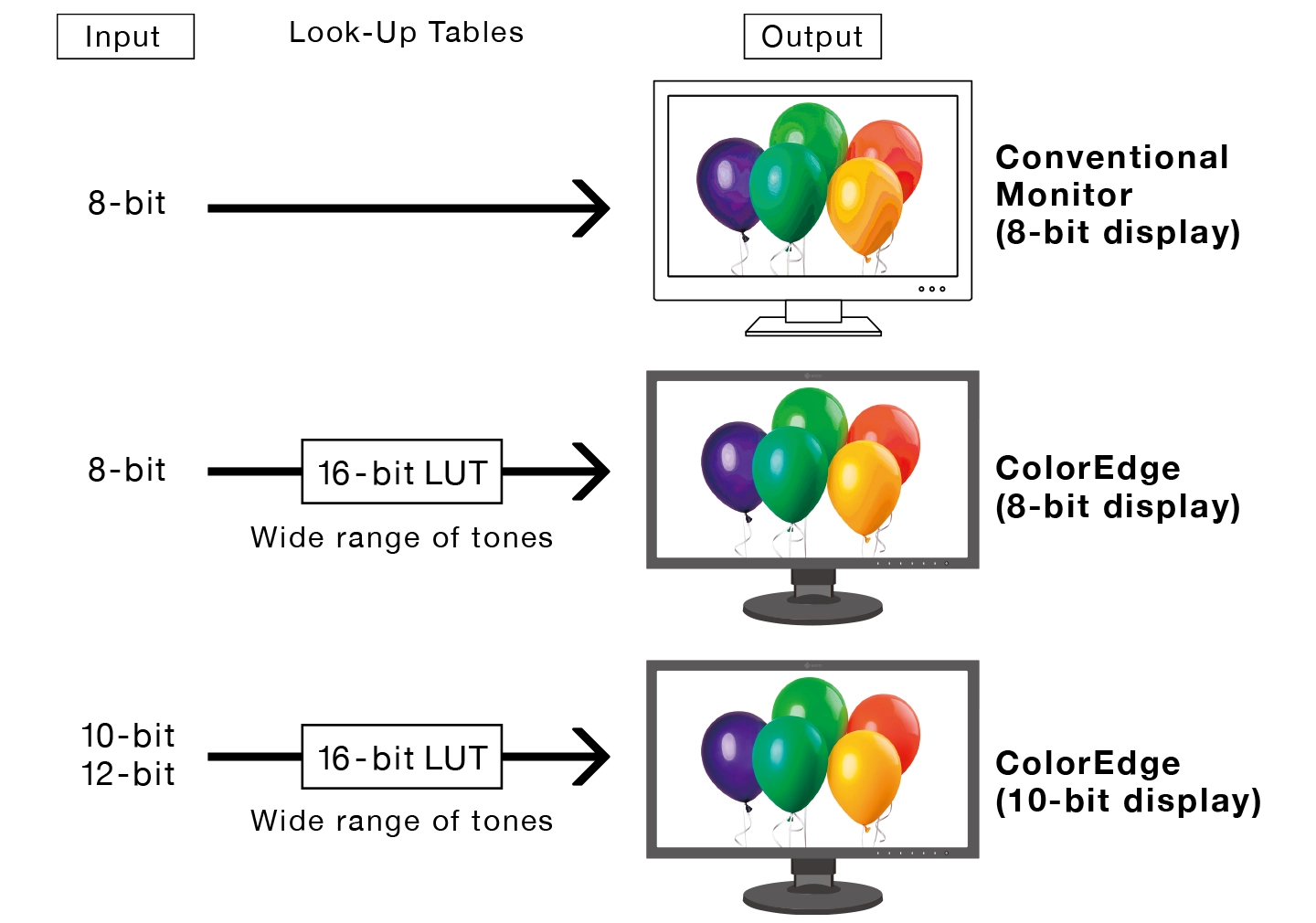
The monitor offers 10-bit simultaneous display* from a 16-bit look-up table (LUT), which means it can produce more than one billion colors. This is 64 times more colors than you get with 8-bit display, resulting in smooth color gradations and reduced Delta-E between two adjacent colors.
*A graphics board and software which support 10-bit output are also necessary for 10-bit display. Equipment that supports Deep Color is required for 10-bit display when connected via HDMI® port.
3D LUT for Accurate Color Display
| The monitor is equipped with a 3D LUT, which adjusts colors on an RGB cubic table. Using ColorNavigator 7’s LogView LUT Emulation function, users can emulate film color properties using a 3D LUT file.・Japan patent no. 4808588 | 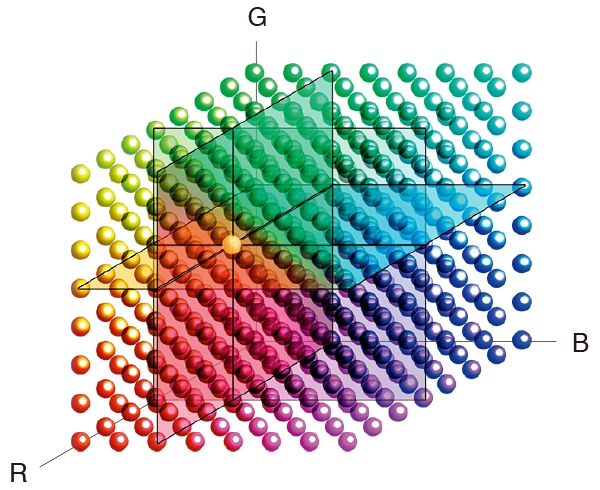 |
Built-In Sensor to Automate Your Workflow
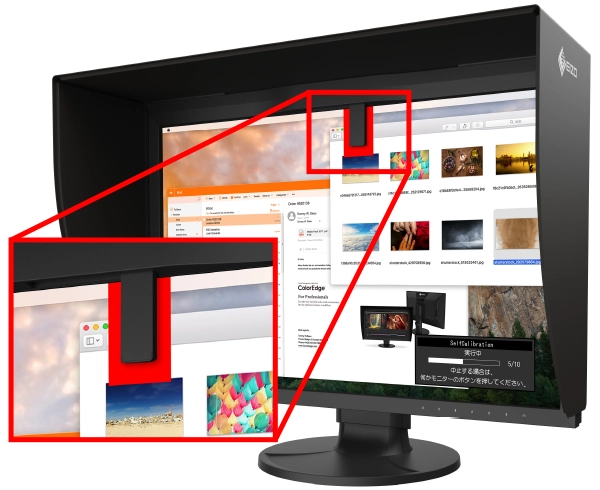
| The monitor’s built-in sensor can be set to calibrate the monitor automatically at designated times. This eliminates the need for a third-party calibration device and ensures your screen stays color-accurate. In addition, the sensor swings onto the screen, taking up minimal space and allowing you to continue working even during calibration.・Japan patent no. 4809453 ・EIZO does not recommend carrying out color-critical work during recalibration, as the screen’s colors will be adjusted. |
 |
ColorNavigator 7 Color Management Software
| EIZO’s proprietary free ColorNavigator 7 software is the complete color management solution for reliable calibration and quality control of ColorEdge monitors. It offers multiple preset color modes, simultaneous calibration of all modes, and automatic recalibration to ensure consistent color accuracy. It also allows calibration targets to be set for brightness, white point, gamma (EOTF), and color gamut for more fine-tuned control. | 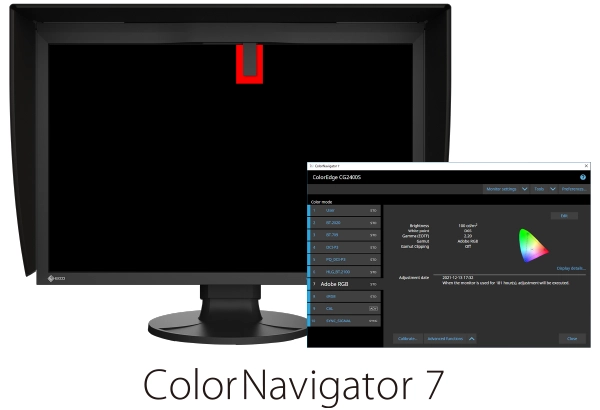 |
ColorNavigator Network Quality Control Software
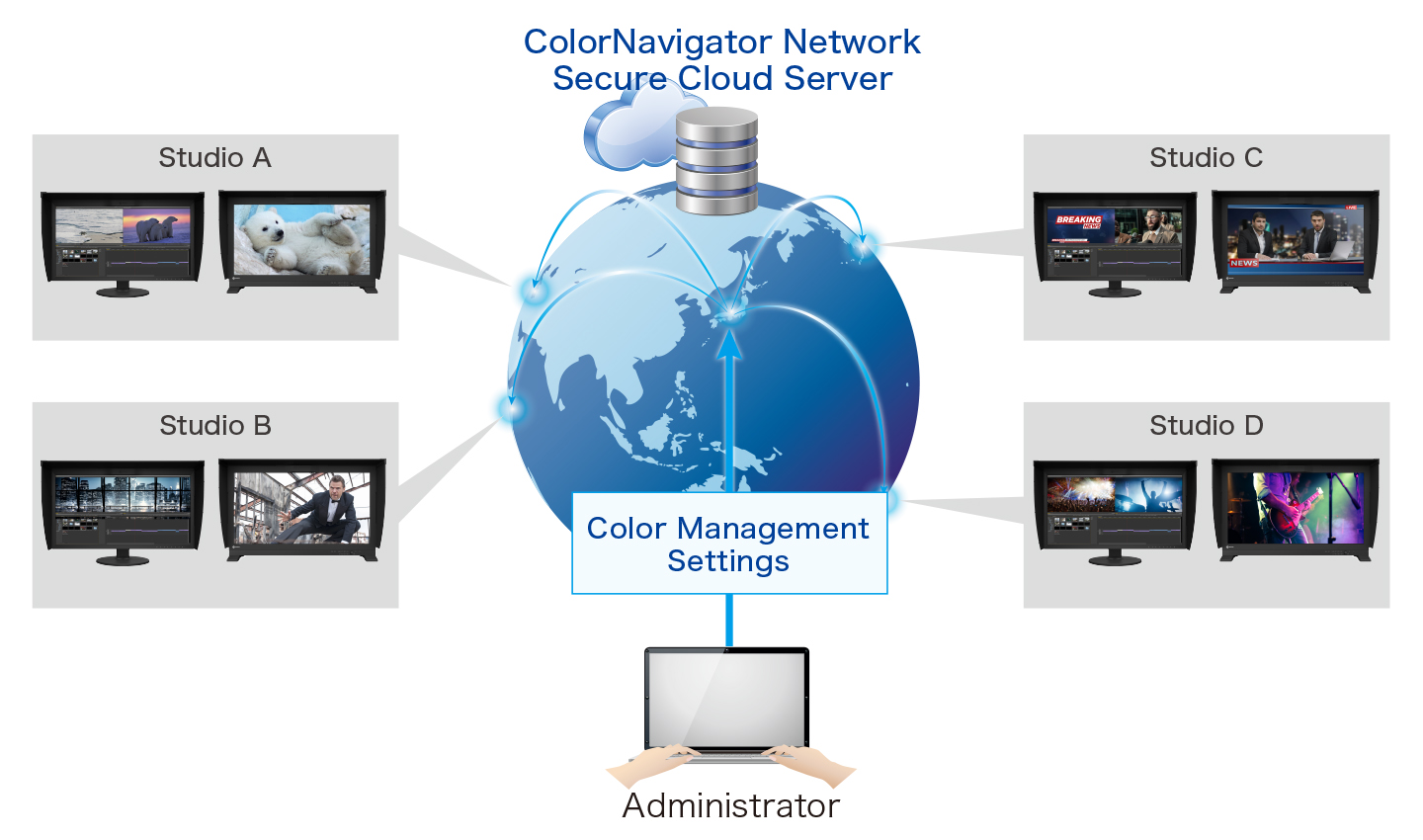
EIZO’s ColorNavigator Network provides centralized quality control of ColorEdge monitors for studios with multiple creators and editors working on shared projects. An administrator can set the color modes, schedule automatic self-calibration for monitors with built-in sensors, register or adjust asset management settings, and more – all carried out remotely over the network. For large-scale projects, this ensures that the appropriate color standards are used at every step and saves hundreds of hours spent on calibration and maintenance.
Features for Previewing and Editing
HDR Gamma Curves
For HDR content, the CG2400SV supports the gamma (EOTF) compatible hybrid log-gamma (HLG) transfer function for broadcasting and perceptual quantization (PQ) curve for production of films and streamed content.
EOTF stands for Electro-Optical Transfer Function.
HLG and PQ were standardized by the International Telecommunication Union (ITU) as ITU-R BT.2100. PQ was standardized by the Society of Motion Picture Television engineers (SMPTE) as ST-2084.
Image for illustrative purposes only.
True Black Display
In compliance with the DCI standard, the monitor offers a high contrast ratio of 1800:1* for producing true blacks that are otherwise difficult to display on a typical LCD monitor. Furthermore, it is equipped with a retardation film that allows tones to retain their depth even when viewed from an angle.
*Typical value when DUE Priority is set to “Brightness”.
Accurately Preview Log Footage
With ColorNavigator 7, users can upload a LUT or log profile directly to the monitor, enabling accurate previewing of footage with correct color and contrast. This ensures that what is seen on-site during filming or in-studio during editing reflects the intended output, helping professionals maintain visual consistency throughout production.
Sync Signal
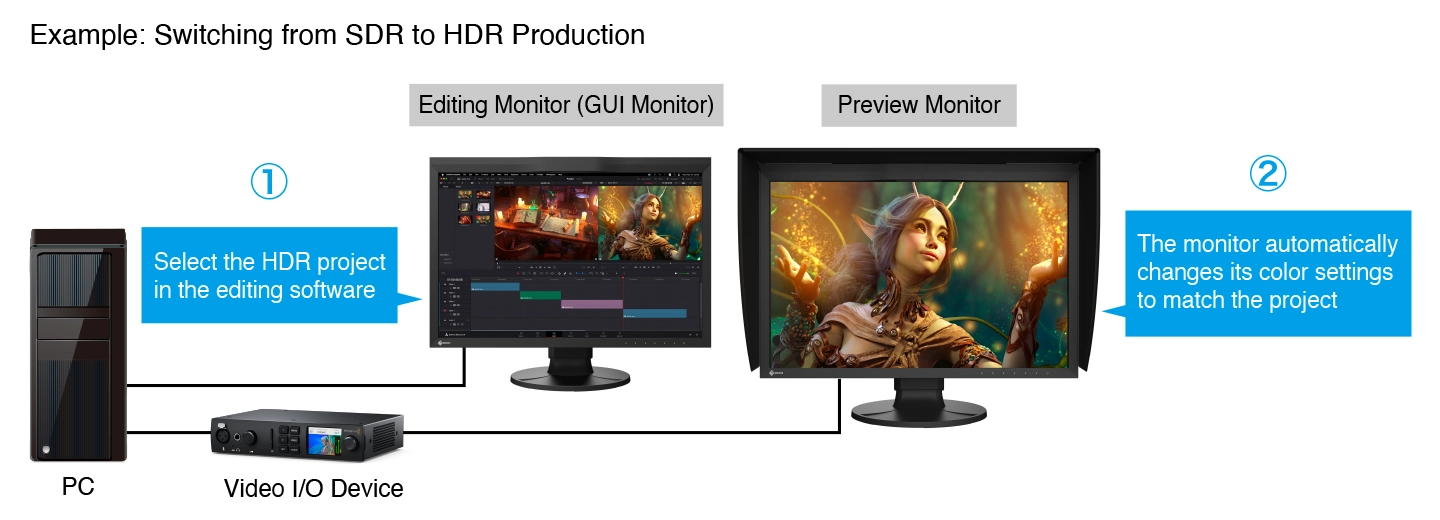
The monitor’s Sync Signal function automatically switches the color settings – brightness, gamma (EOTF), and color gamut – according to the metadata of the input signal. This eliminates the need to manually switch color settings when working on multiple projects, so users can be confident that they are always working with the correct settings.
Pixel Inspection
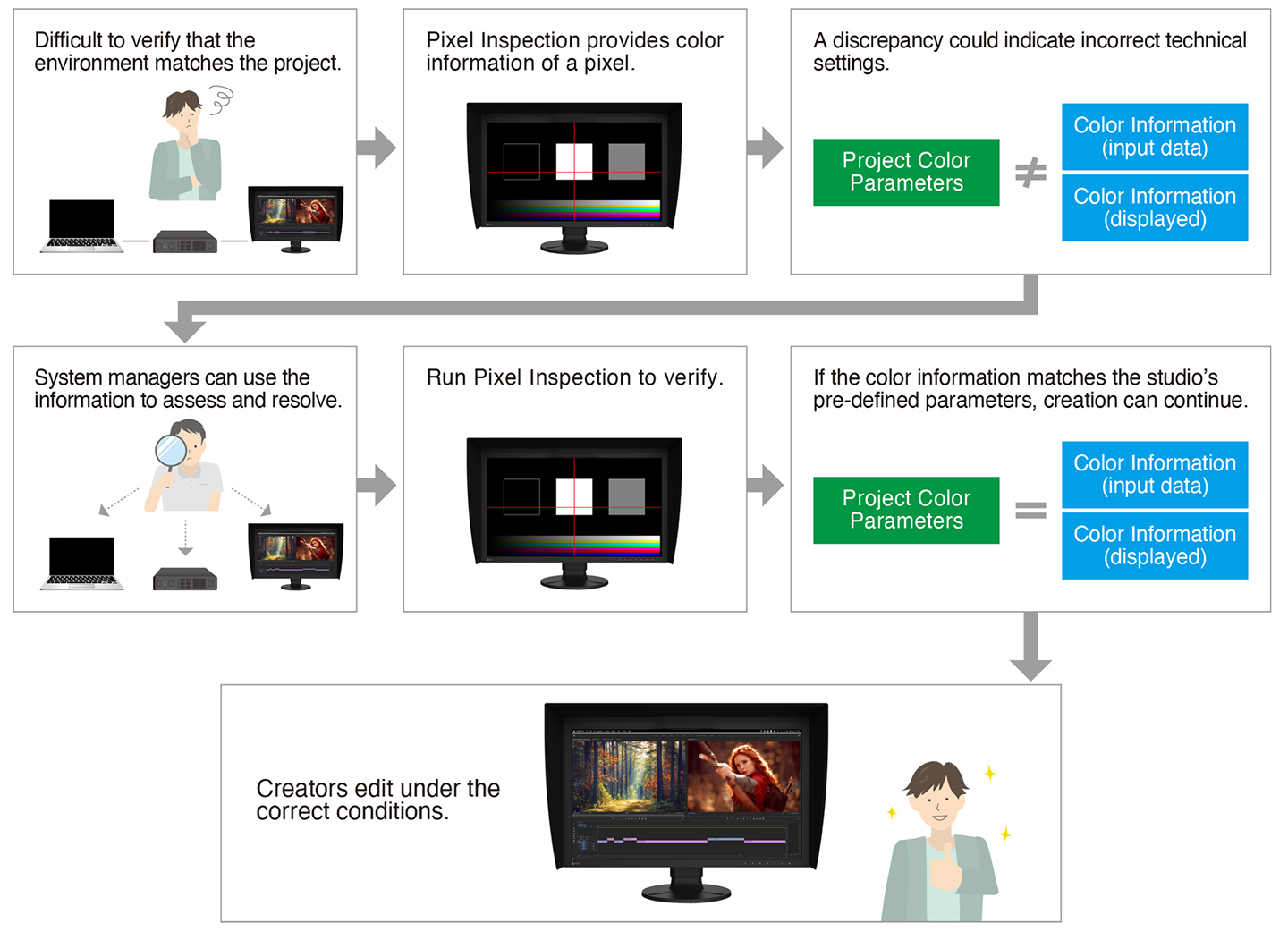
Working within the wrong parameters affects editing decisions, potentially requiring significant rework of projects and causing costly delays in production schedules. Pixel Inspection, operated through the monitor’s OSD, shows the color information of a pixel from the source input data and the data as it is displayed on the monitor.
System managers can use this information to verify that the creator’s technical settings match the current project’s predefined color parameters. This is especially helpful when creators are working remotely and system managers cannot verify settings directly. By ensuring that creators are working under the appropriate technical conditions, studios can reduce the likelihood of project rework due to mismatched technical settings.
Markers for Information Overlay
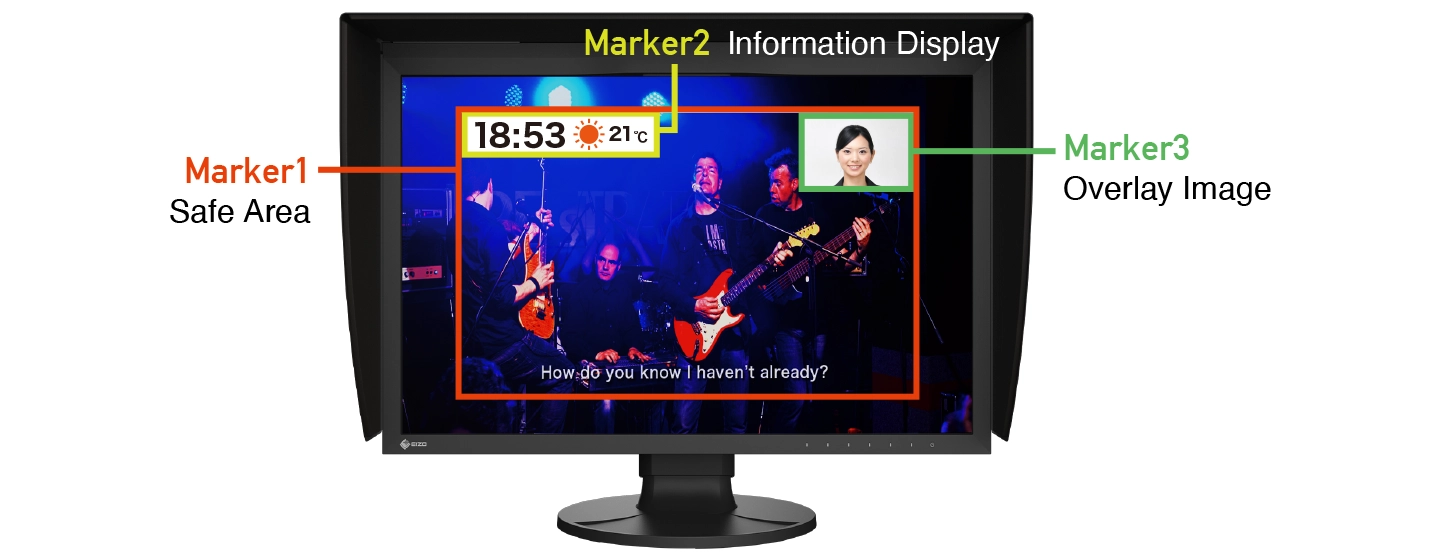
The CG2400SV features a marker function to ensure that elements, such as text or graphics, are properly positioned on the screen. Up to three markers can be displayed to define areas of the screen where content will be shown. The position, size, and color of each marker can be adjusted to suit the current project.
Check PQ Contents at Any Brightness Level
The PQ Option function allows the input signal to be clipped or emulated to fit within the luminance value of the monitor. This enables users to simulate how the signal will appear in other display environments.
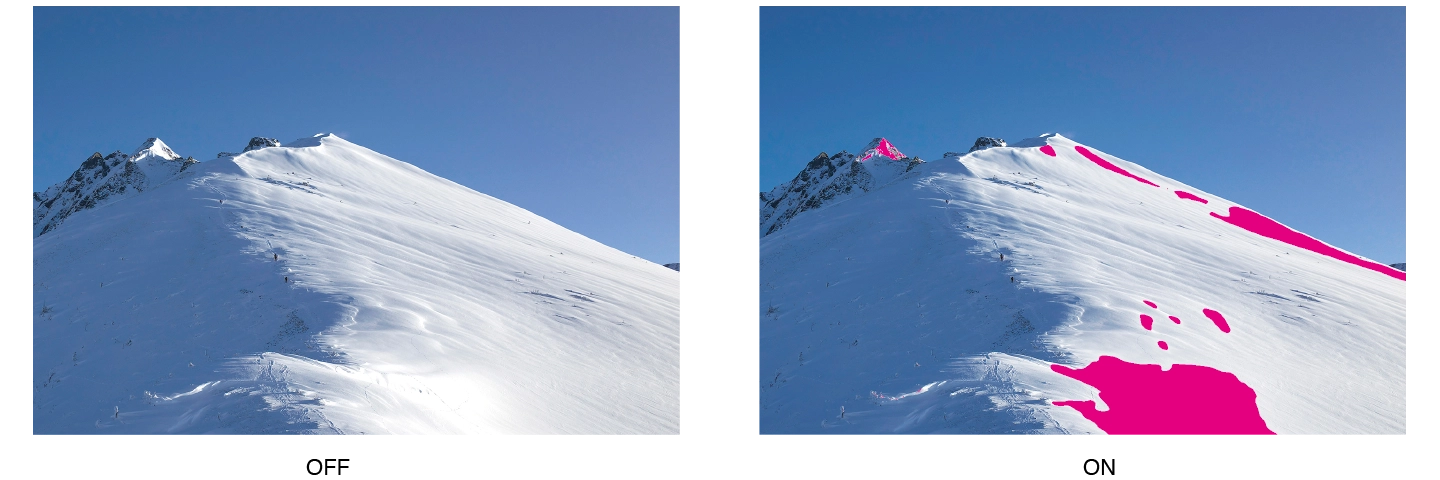
Luminance Warning
The Luminance Warning function allows users to check the areas where clipping or emulation occurs when PQ Option is enabled. These areas are marked in yellow or magenta to easily distinguish them within the image.
BT.709 Out-of-Gamut Warning
| The monitor includes a Gamut Warning function that indicates areas of a BT.2020 image that cannot be reproduced in the BT.709 color space – the standard for Full HD broadcasts – by displaying them in shades of gray. An additional Clip mode allows the editor to view BT.2020 images within the BT.709 color space, simulating how it would look in an HDTV environment. | 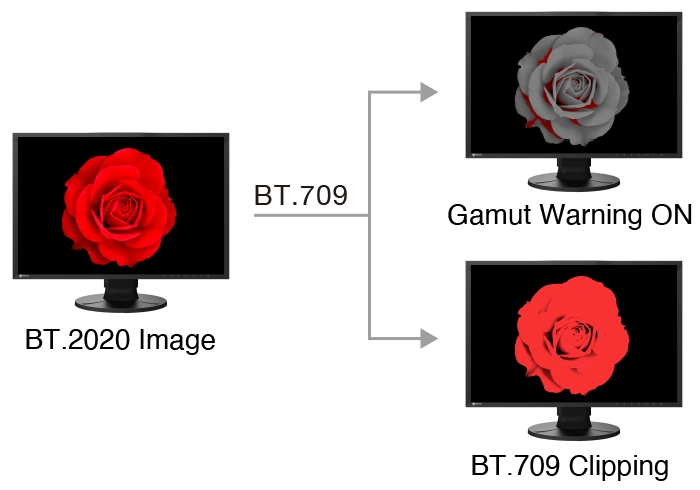 |
Stable Image Display
Adjusted at the Factory for Smooth Color Gradations
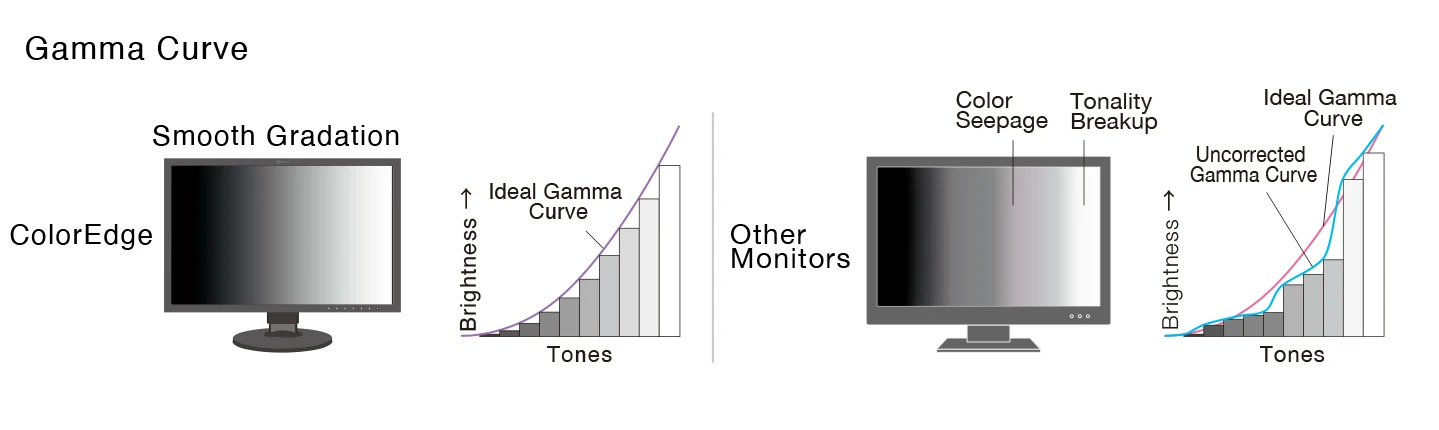
The gamma level for each ColorEdge monitor is adjusted at the factory by measuring the R, G, and B gamma values from 0 – 1023. The monitor’s 16-bit LUT is then used to select the 1024 most appropriate tones and achieve the desired value. This ensures the smoothest color gradations in your images.
Uniformity Across the Screen
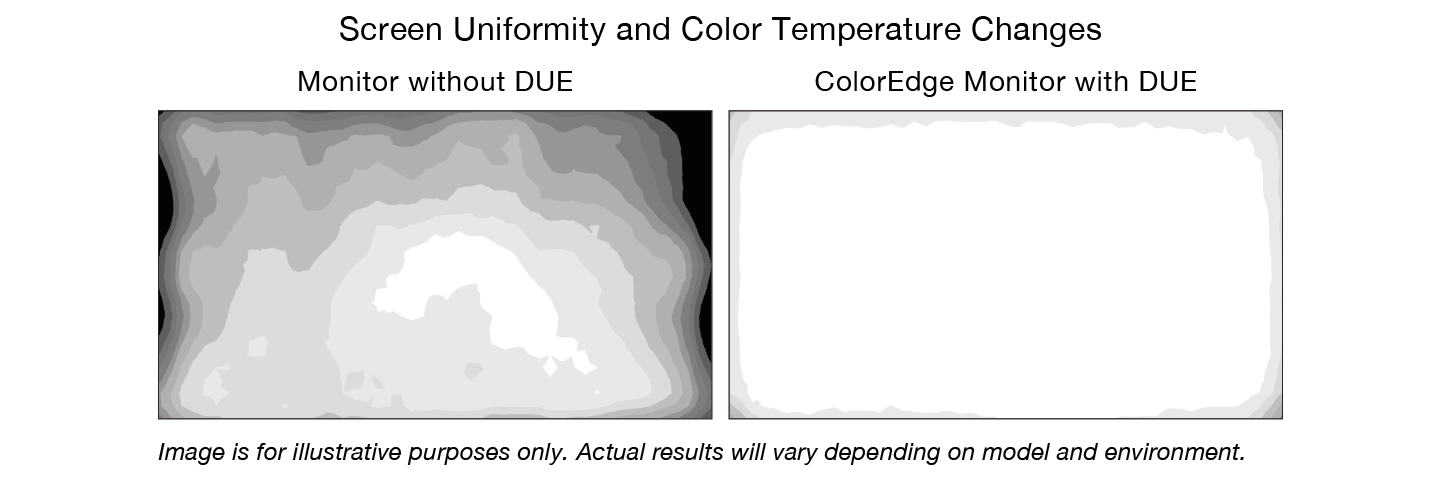
LCD monitors commonly exhibit fluctuations in brightness and chromaticity across the screen, affecting color accuracy. To counter this, ColorEdge monitors are equipped with EIZO’s patented digital uniformity equalizer (DUE) technology which corrects deviations in every tone across the screen to ensure stable display.
・Japan patent no. 4490899, 4542988, 5618574, 5651419
Stable Display Using Industry-First AI
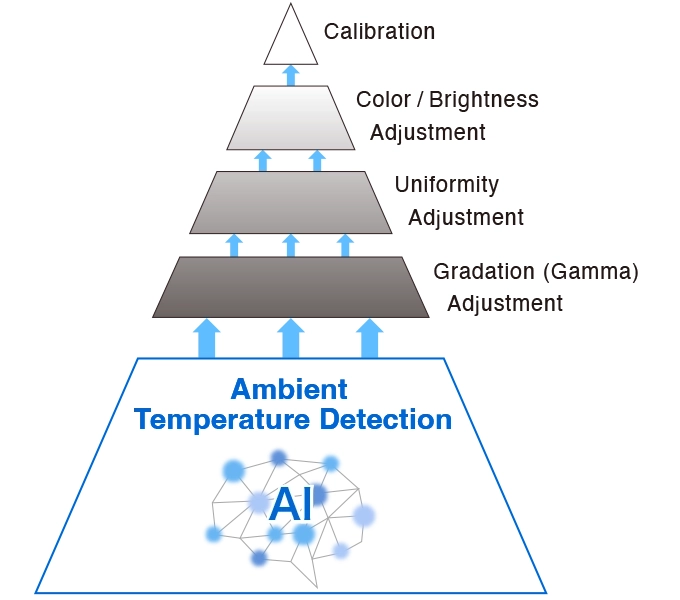
| The color and brightness of an LCD monitor can shift due to changes in ambient temperature. ColorEdge CG series monitors are equipped with a sensor that both measures the temperature inside the monitor and estimates the ambient room temperature. Using this technology, the monitor adjusts in real time to maintain accurate gradation, color, brightness, and other characteristics.In addition, the monitor uses AI (Artificial Intelligence) in its estimation algorithm to detect and distinguish patterns in temperature changes for more precise calculations, ensuring a stable and accurate display.
・Japan patent no. 6723964 |
 |
Stable Color in Just 3 Minutes
A typical monitor takes 30 minutes or more for its brightness, chromaticity, and tone characteristics to stabilize. ColorEdge monitors take a mere 3 minutes* so you get reliable color display soon after turning the monitor on.
*Based on EIZO’s internal testing.
Verified Accuracy with Factory Report
| Included in the box of every CG2400SV is a Factory Report which shows the measurement results at the time of production. The report includes uniformity, gamma, gamut coverage, and color temperature measurements which verify every unit’s accuracy | 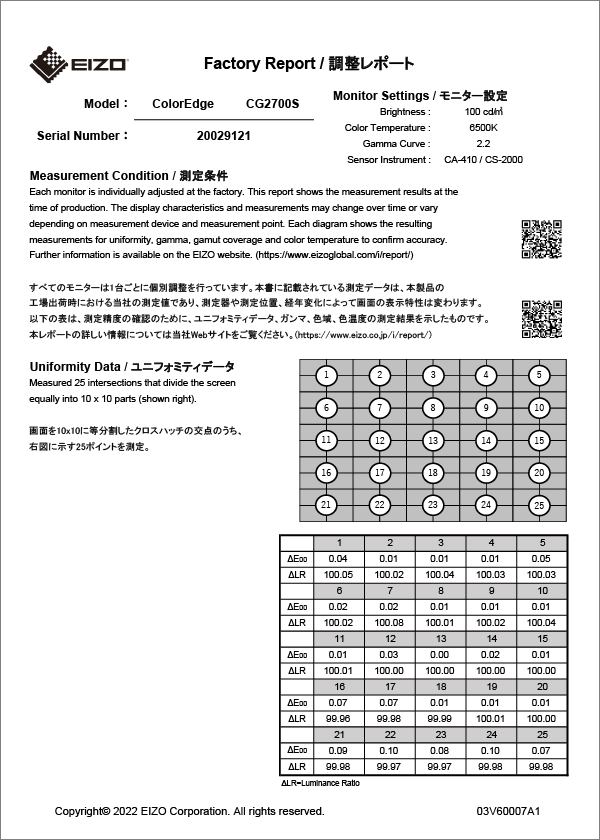 |
Design and Comfort
Noiseless, Fanless Operation
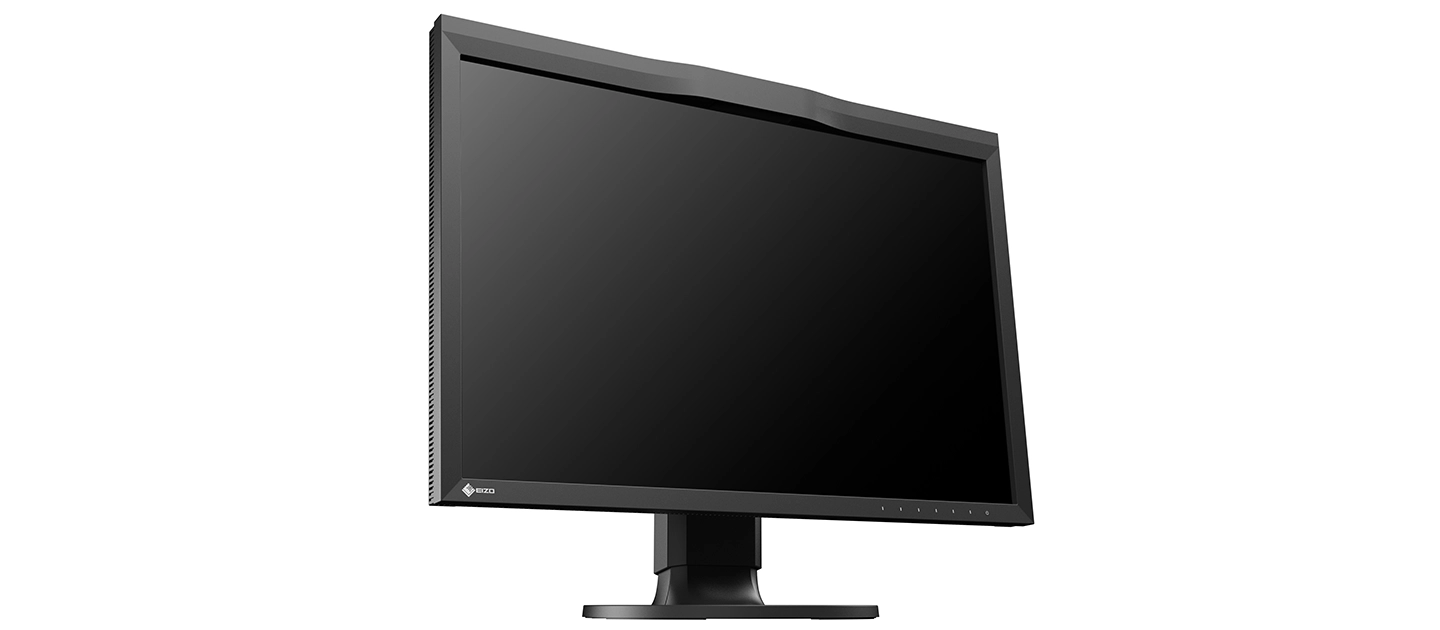
The CG2400SV provides noiseless, fanless operation while still maintaining low heat output without impacting performance.
Ergonomic Stand
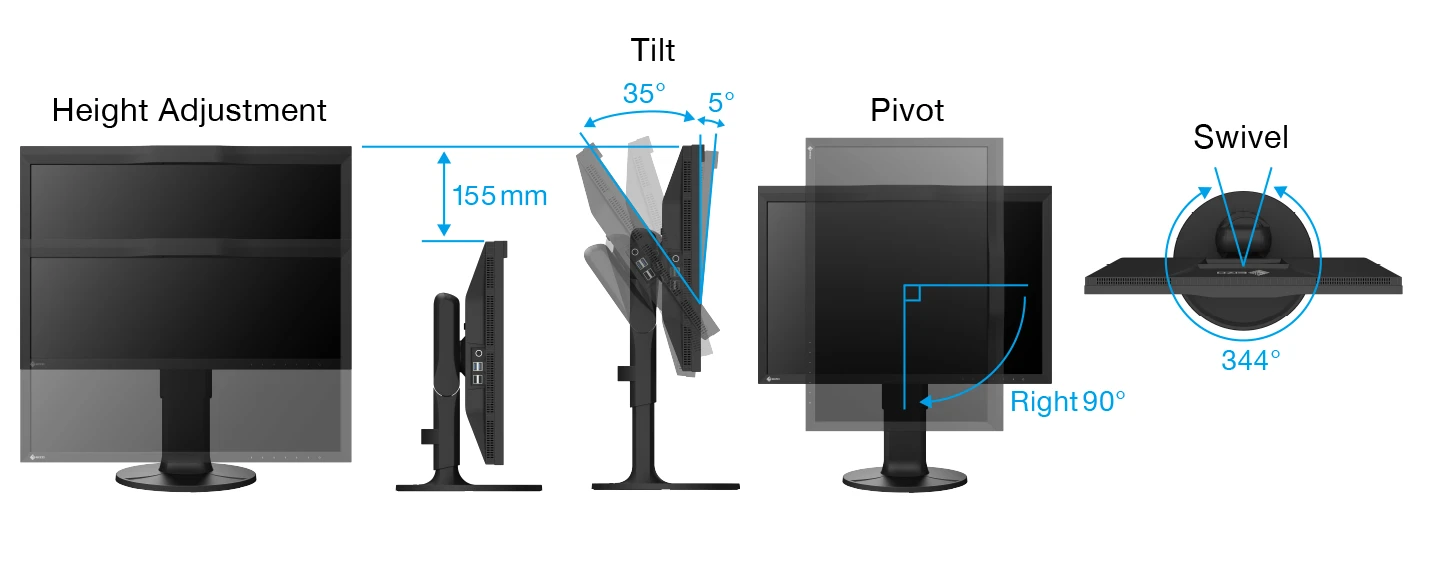
The monitor comes with a versatile stand that offers height adjustment, tilt, swivel, and pivot, allowing you to adjust the screen to the most comfortable angle and reposition it to show your work to others. The stand is also equipped with a quick release for easily removing the screen via a single touch.
Commitment to Quality
5-Year Manufacturer’s Warranty
ColorEdge monitors are backed by a manufacturer’s 5-year warranty that covers all components including the LCD panel*. EIZO manufactures its products at its own factories to allow close

control over production quality and ensure each monitor is built to last.
*Usage time is limited to 30,000 hours.
Zero Bright Pixels
EIZO guarantees this product will be free from bright sub-pixels for six months from the purchase date.
Sustainable Future
Low Environmental Impact Materials
| The CG2400SV’s housing is made of more than 85% recycled plastic. This contributes to reducing the amount of plastic waste entering the environment, conserves resources, and promotes the reuse of materials to preserve our natural ecosystems. | 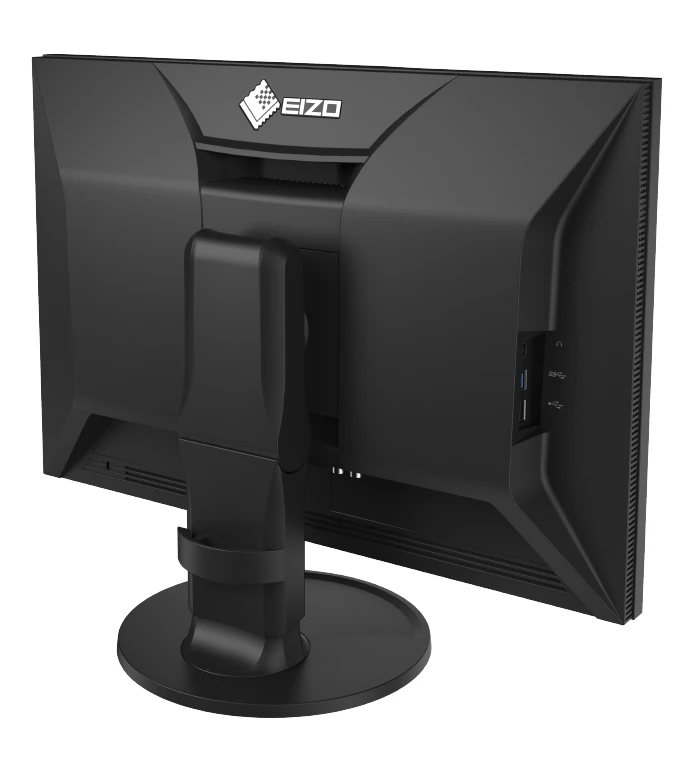 |
Eco-Conscious Packaging
| EIZO is committed to reducing its environmental impact by transitioning away from plastic and other environmentally unfriendly materials in product packaging. The CG2400SV is securely packaged using molded pulp made from recycled cardboard and newspaper, and its cables are contained within a cardboard structure instead of plastic bags. | 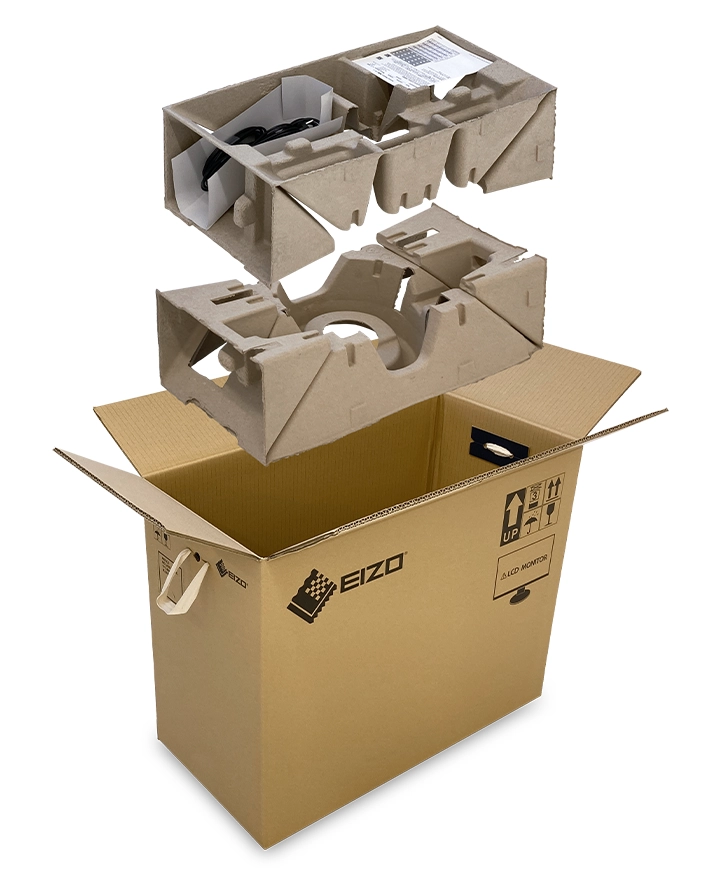 |
Our Contribution to SDGs
| As part of its sustainability initiatives, EIZO is contributing towards the United Nations’ Sustainable Development Goals (SDGs). |  |
Environmentally Conscious Product Development
ColorEdge promotes the use of recycled materials and low-impact components, while maintaining the high performance demanded for creative work. The monitors are optimized for energy efficiency, contributing to lower greenhouse gas (GHG) emissions.EIZO also collects and recycles used products to further minimize environmental impact. We strive to promote efficient and circular resource use across every stage of the product lifecycle – from parts and materials procurement to manufacturing, transportation, user experience, and end-of-life disposal.
All production sites at EIZO’s headquarters in Japan operate on 100% renewable energy.



Color Precision for Creative Excellence
ColorEdge provides a high-precision color management solution for creative environments, powered by advanced display technology and consistent color control. Unified color management across the entire production workflow streamlines color communication across creative teams and studios, helping to reduce time and costs associated with rework due to color inconsistencies.


Related products
$7,790.00
Original price was: $1,150.00.$1,092.50Current price is: $1,092.50.
Original price was: $1,287.00.$1,248.00Current price is: $1,248.00.
Original price was: $199.00.$189.00Current price is: $189.00.