

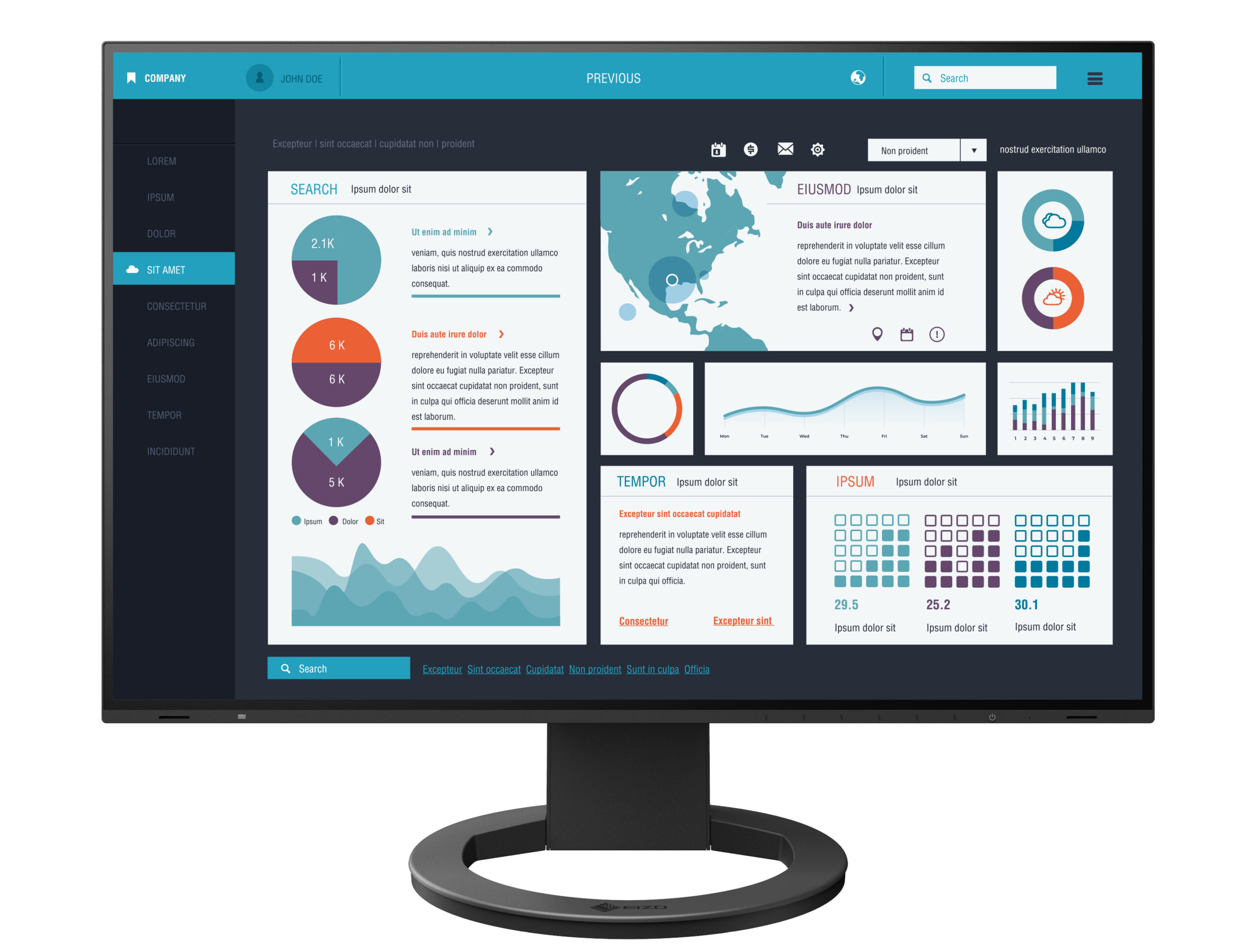
FlexScan EV2495 w/ a USB Type-C docking Monitor
| Weight | 18 lbs |
|---|---|
| Dimensions | 25 × 16 × 9 in |
| Brand |
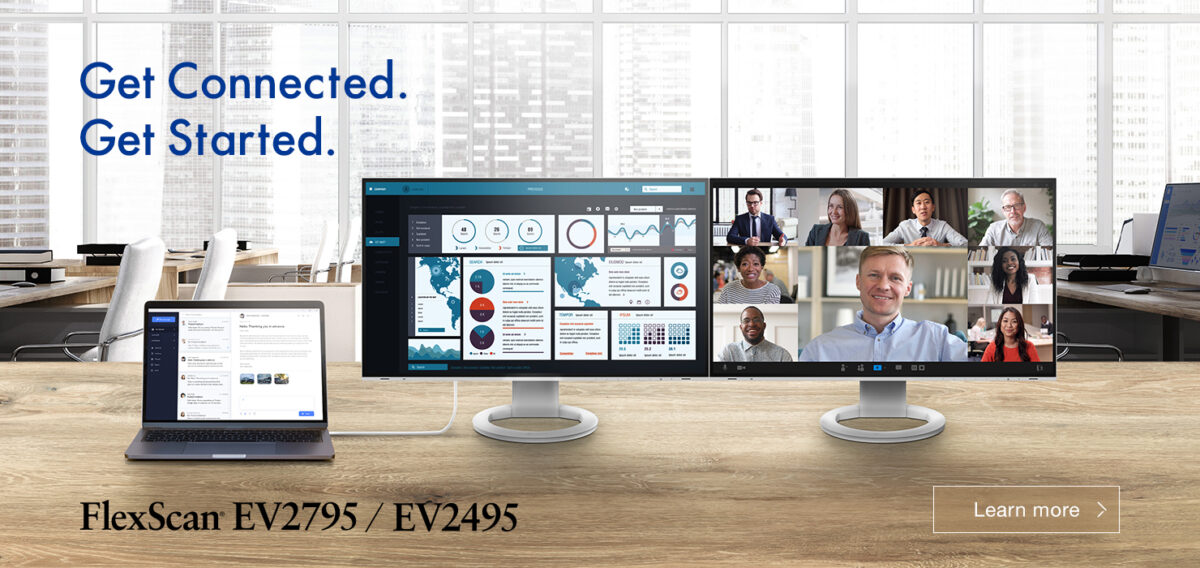
Get Connected. Get Started.
Streamlined Connection with USB Type-C
The monitor is equipped with a USB Type-C connection that allows you display video, playback audio, transmit USB signals, supply power to connected devices, and even transmit a network signal. This convenient multi-purpose connectivity makes it faster and easier to connect your laptop when moving between workstations or working away from the office.
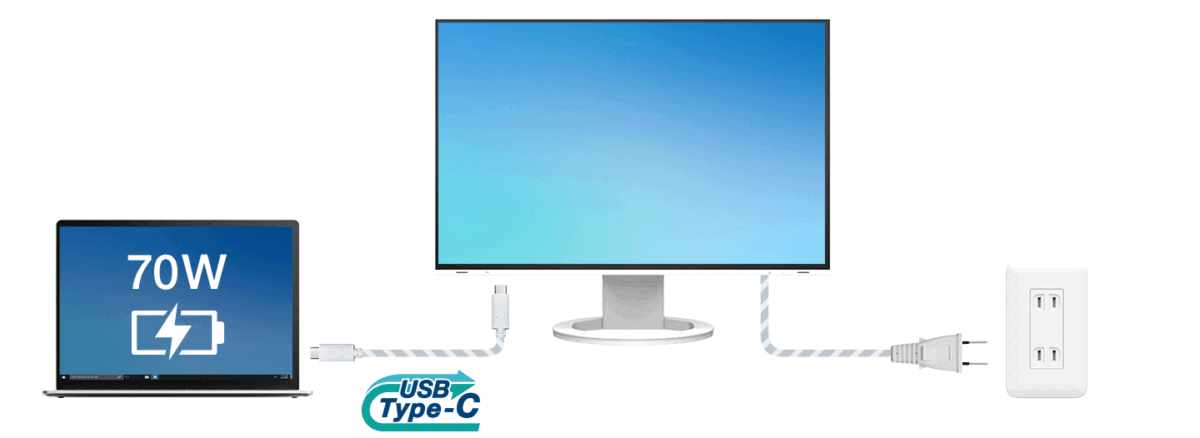
70 W Power Delivery
The 70 W power delivery via USB Type-C reliably charges small desktop PCs or laptops such as a Microsoft Surface. This eliminates the need for a laptop’s bulky power supply unit, freeing up space in your bag and on the desk.
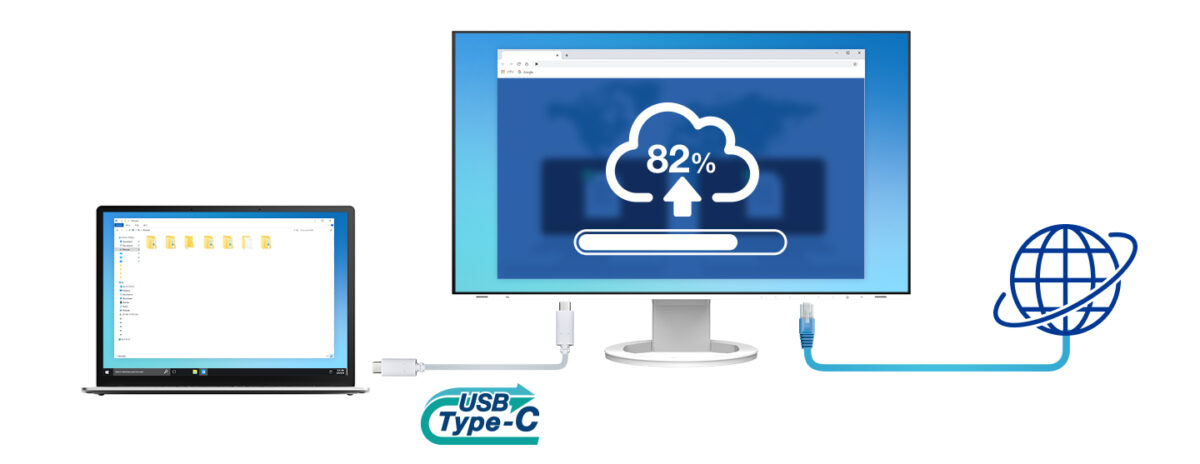
Stable Network Connection
While many modern laptops are not equipped with a dedicated LAN port, the monitor has one directly built in for a stable wired connection. Connecting any laptop via USB Type-C allows access to the network through the monitor. This allows you to conduct conference calls or data transfers reliably and at high speed.
EIZO MAC Address Clone Utility software temporarily assigns the MAC address of a connected PC to the monitor, granting network access to authenticated devices, and preventing network access from unauthenticated devices.
Efficient Multi-Screen Setup
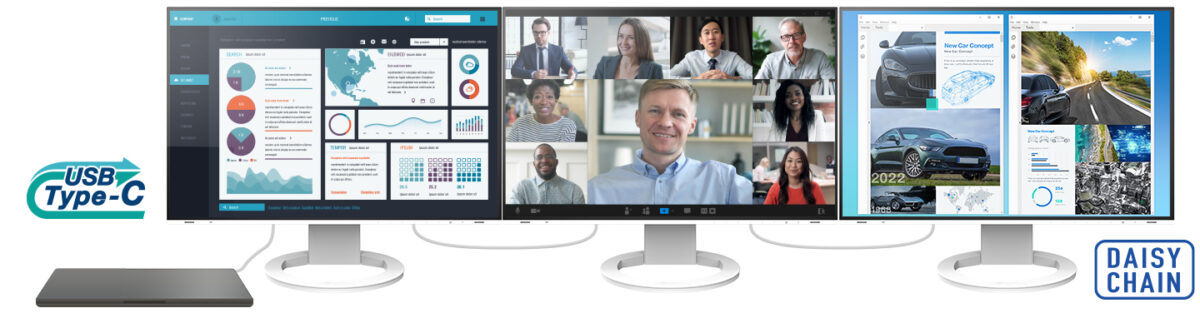
The monitor’s USB Type-C connection supports daisy chaining for easily connecting multiple monitors from a single video signal output. This allows you to effortlessly connect up to four screens and quickly view multiple applications simultaneously for boosting efficiency.
Connecting Peripherals Directly
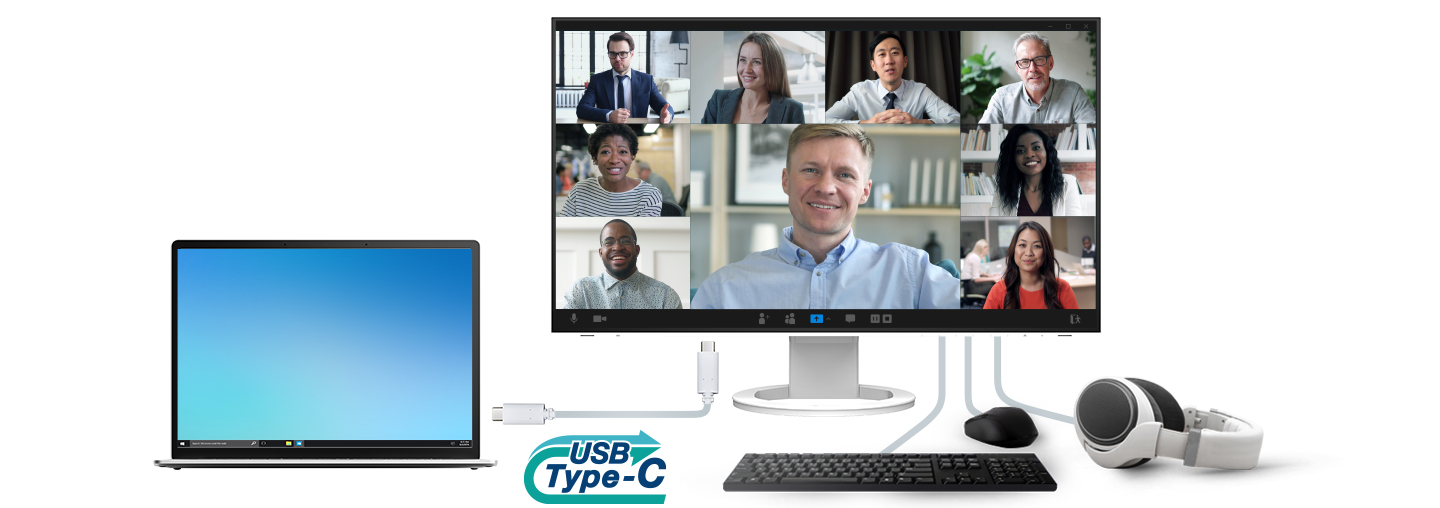
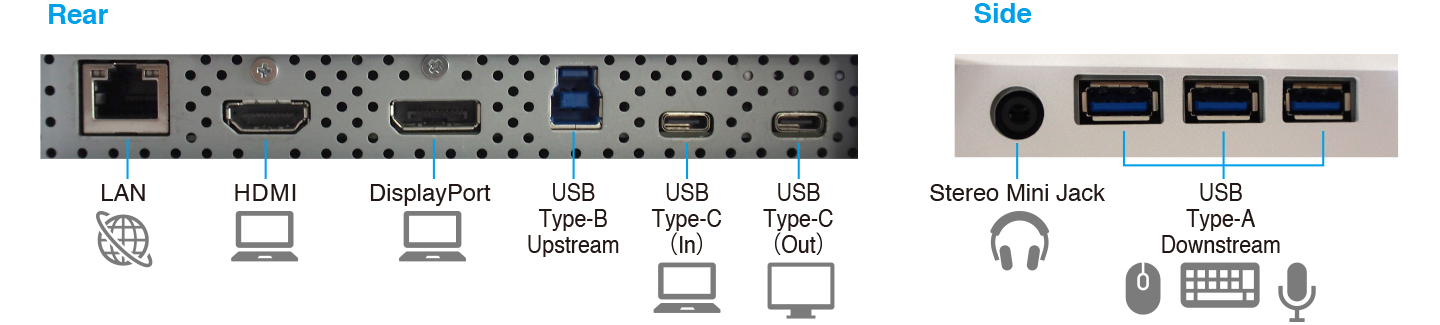
While modern laptops are becoming thinner and more portable, they often have limited connectivity options for peripherals. Connecting to the monitor via USB Type-C gives access to a hub with three USB Type-A and one USB Type-C ports for easily connecting an external keyboard, mouse, or web camera.
The USB Type-C port cannot be used as a USB hub when used for daisy-chain connection.
Say Goodbye to Tired Eyes
The monitor is equipped with functions to help users concentrate on work by keeping their eyes comfortable throughout the day.
Auto Brightness Control
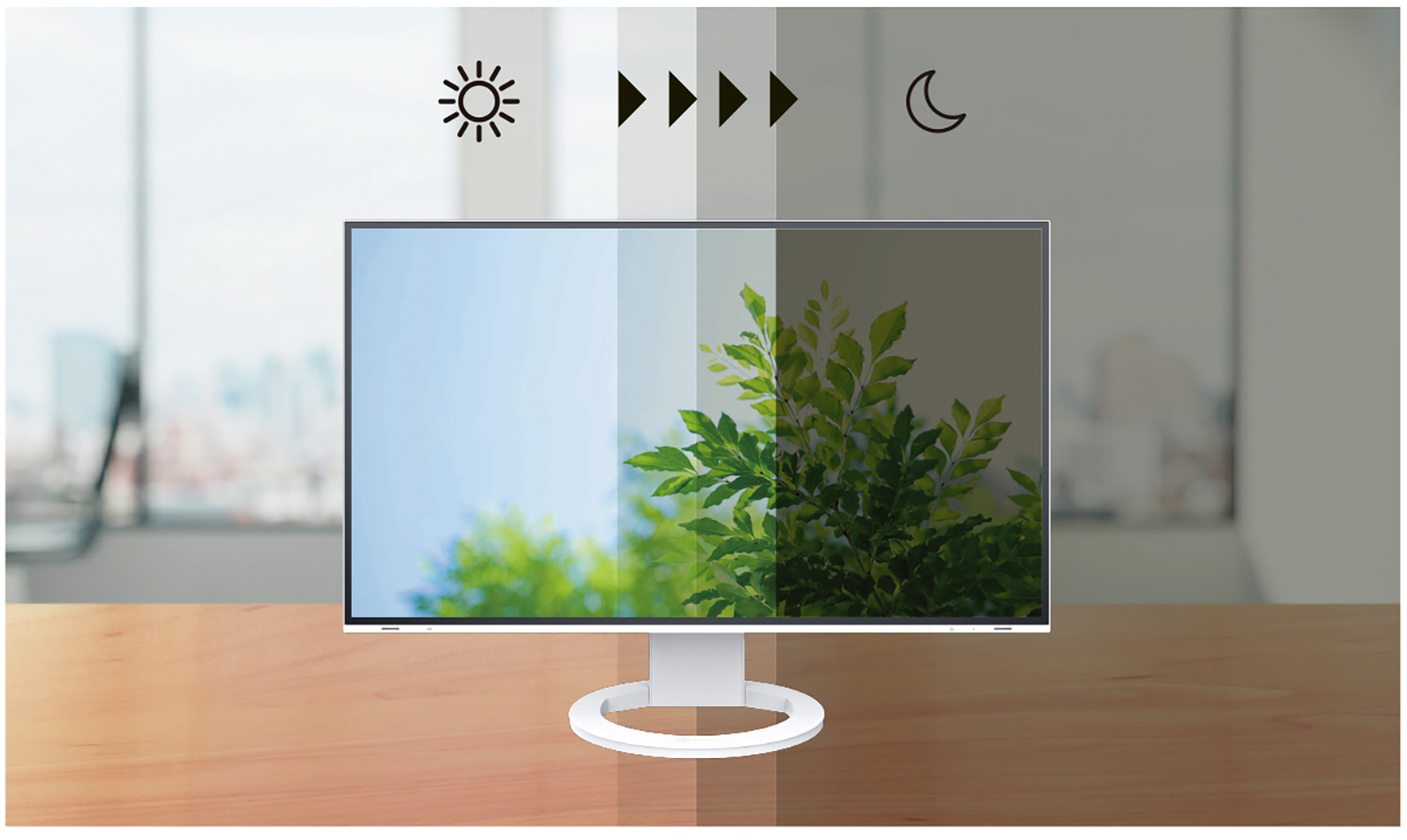
To prevent eye fatigue, a brightness sensor called Auto EcoView detects the changes in the ambient brightness that occurs throughout the day and automatically adjusts the screen to the ideal brightness level.
 Clear View from All Angles
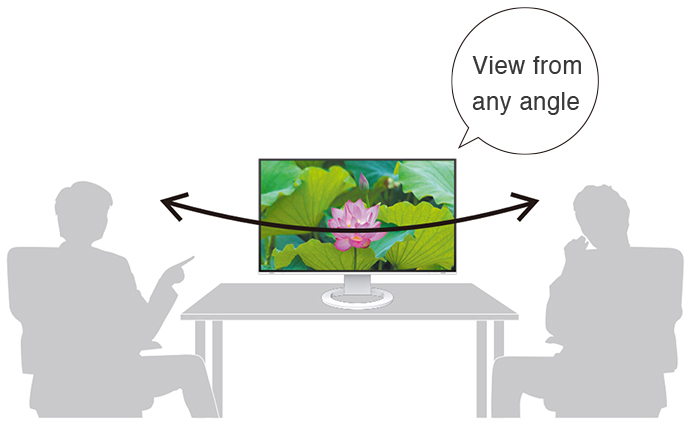
The monitor uses an LED-backlit IPS (in-plane switching) LCD panel with 178° viewing angle that minimizes color shift and contrast changes when viewing the screen at an angle. This means that two people sitting at the one computer can easily see the screen with high image quality.
Reduce Blue Light by 80%
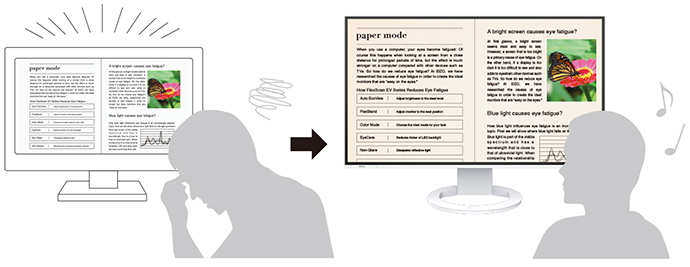
In the visible light spectrum, blue light has wavelengths adjacent to ultraviolet light. Compared to the factory preset setting of 6500 K of typical LCD monitors, Paper Mode is closer to the spectral distribution with long reddish wavelengths so it reduces the amount of blue light, a cause of eye fatigue, and helps prevent eyestrain when reading documents. When used in conjunction with Auto EcoView dimming function, blue light can be reduced by as much as 80%.
Flicker-Free Viewing
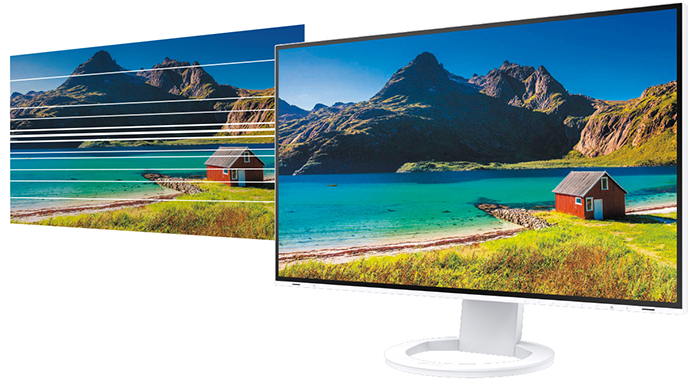
Due to the way brightness is controlled on LED backlights, a small number of people perceive flicker on their screen which causes eye fatigue. The FlexScan EV2495 utilizes a hybrid solution to regulate brightness and make flicker unperceivable without any drawbacks like compromising color stability – even on low brightness settings.
Minimum Brightness of 1 cd/m2
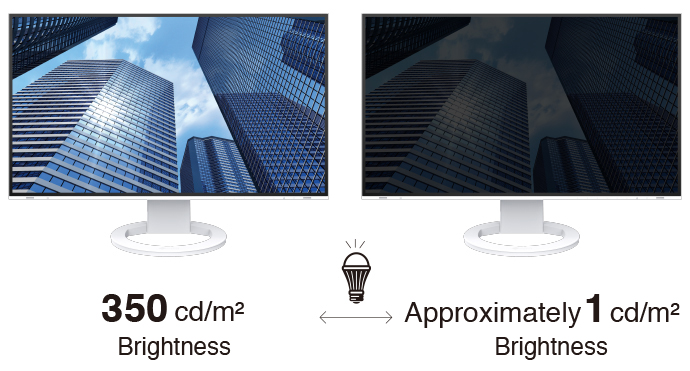
In a dimly-lit work environment, a monitor with low brightness settings is more comfortable to use. With its LED backlight, the monitor is adjustable to approximately 1 cd/m² which is less than 1% of the maximum.
Non-Glare Panel
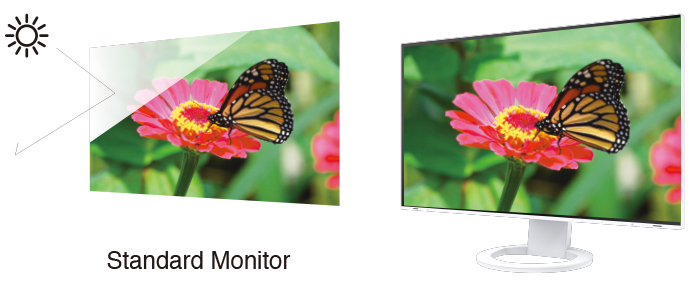
A non-glare panel reduces eye fatigue by dissipating reflective light that would otherwise make the screen difficult to view from different positions.
Certified for Eye Care
FlexScan monitors are certified by TÜV Rheinland to have low blue light and be flicker-free.

Additional Features
The monitor offers additional features and functions for promoting efficiency and comfort.
Multiple Connections
The monitor is equipped with a USB Type-C and three USB Type-A ports for easily connecting to multiple devices without the need for a docking station. This is convenient when using a laptop with limited USB ports or for streamlining connection to workstations in hot desking or home office environments. The monitor also has HDMI® and DisplayPort inputs for further flexibility.
Built-In KVM Switch for Multiple PC Operation
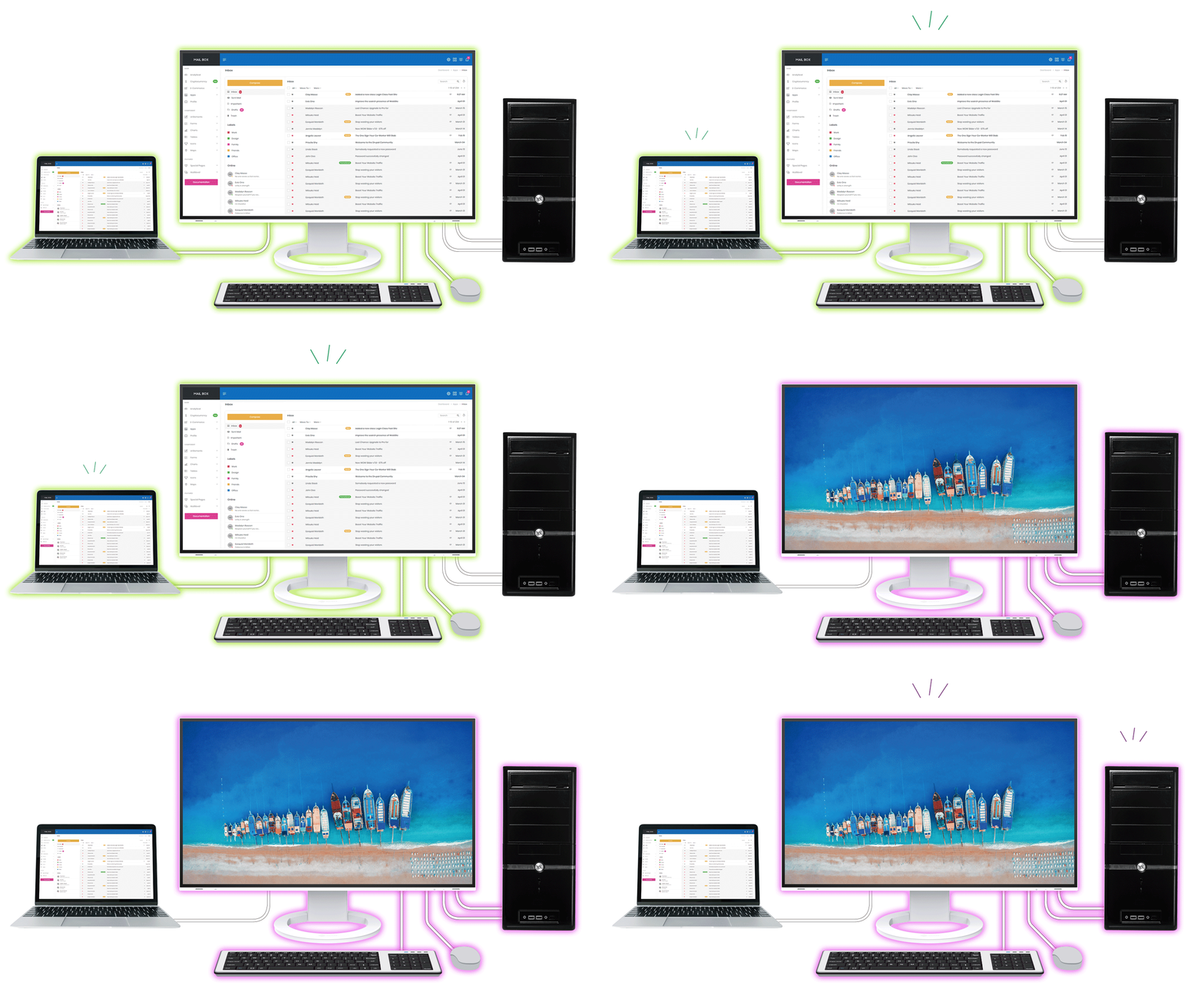
The monitor’s USB Type-B and Type-C upstream ports have a built-in KVM function, allowing users to use a single mouse and keyboard for up to two connected PCs for an even cleaner workspace. Furthermore, the peripherals connected to the monitor’s USB hub and its network connection switch to the selected PC for a smooth operation on the selected computer.
Hassle-Free Approach
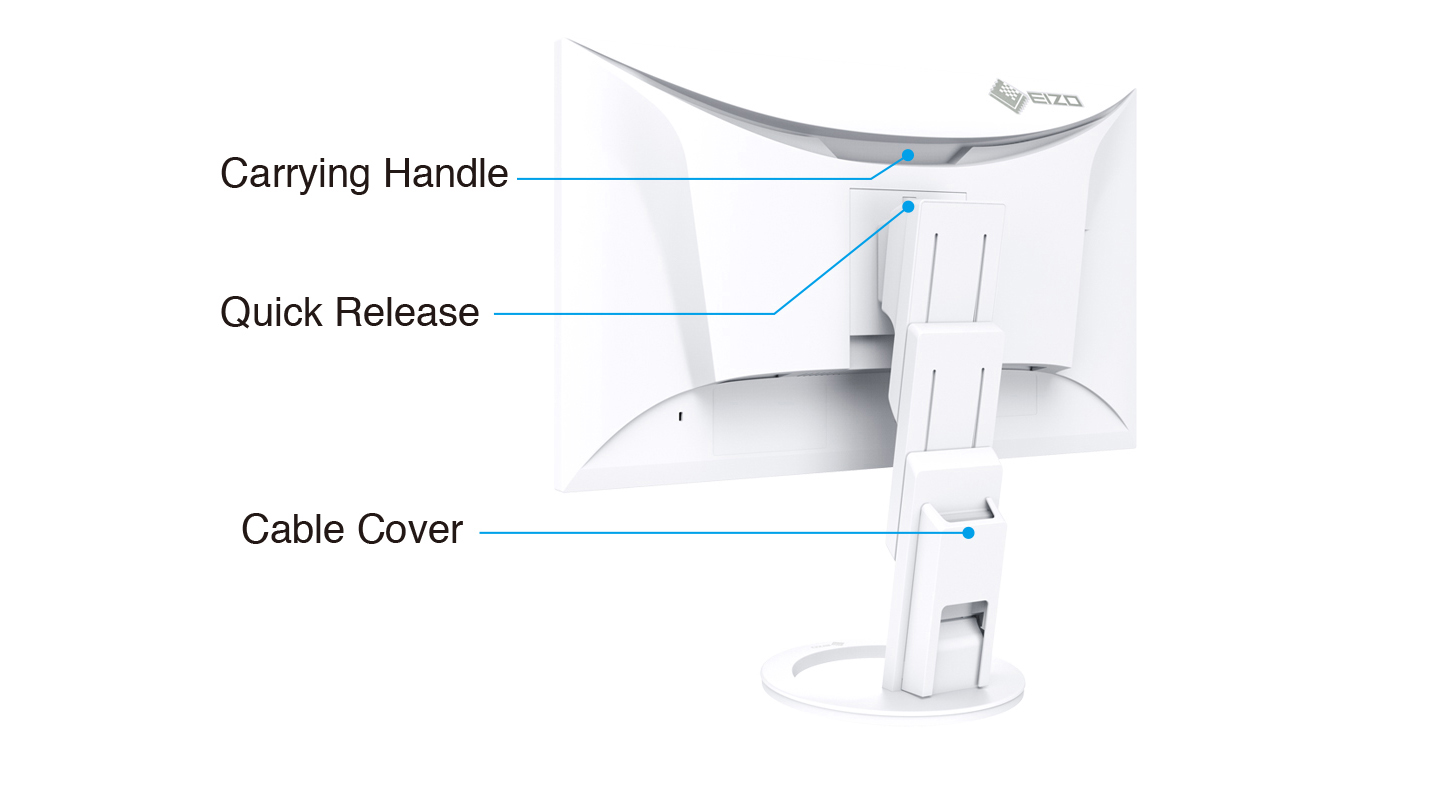
The monitor’s stand is equipped with a Quick Release button that allows you to detach the screen with a single touch. It also has a convenient carrying handle on the back for easily moving the monitor. Furthermore, the cable cover on the back of the stand allows you easily manage cables, keeping the work area free of clutter.
Front-Facing Speakers
The monitor has speakers incorporated into the minimalist front bezel, ensuring that sound is focused on the user and not on people behind the monitor.
Exceptional Image Reproduction
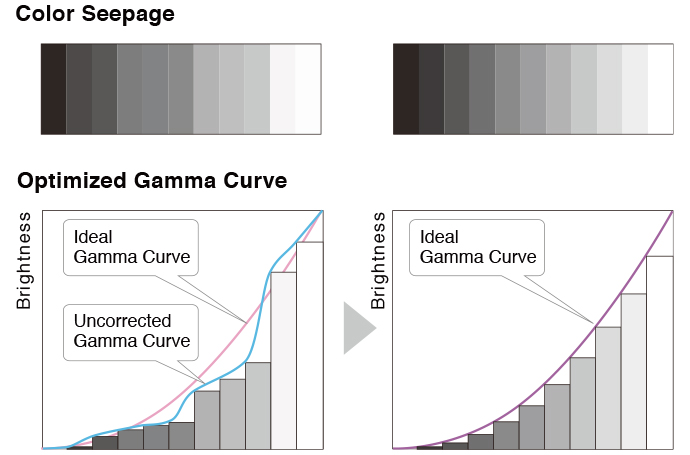
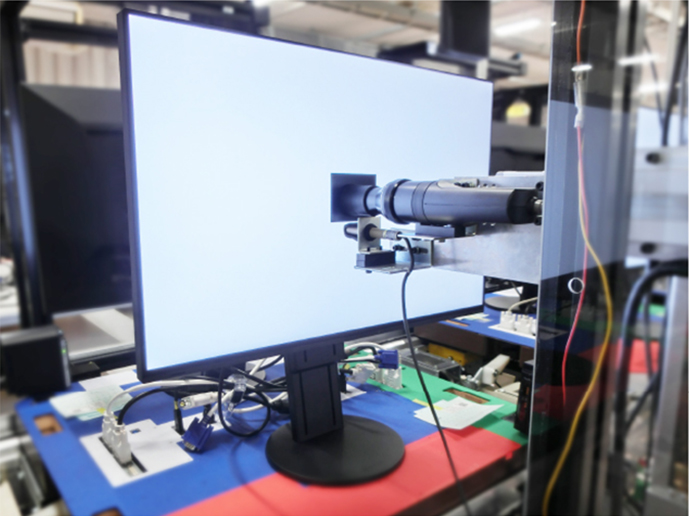
The monitor converts the data from an 8-bit input signal and selects the optimal gradations for smooth image display. Furthermore, each monitor is individually measured and adjusted at the factory prior to shipping for exceptional image quality out of the box.
 |
 |
Intelligent Software for Working Better
EIZO’s Screen InStyle proprietary software is designed to help you manage multi-monitor setups effortlessly.
Streamlined Mouse Operation
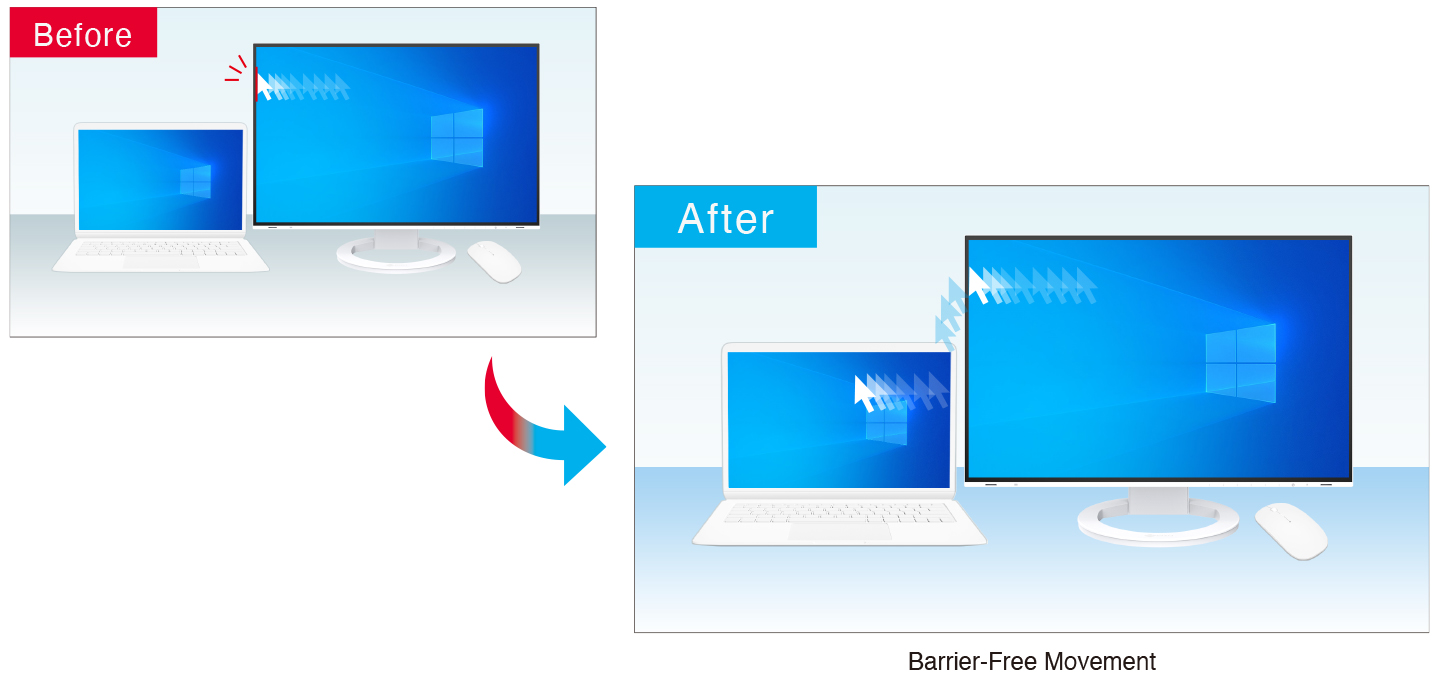
| The Mouse Pointer Utility function of EIZO’s free Screen InsStyle software provides an easy-to-see visual indicator that helps you quickly locate the cursor. It also allows you to move the cursor freely between monitors without the barrier typical of conventional multi-monitor setups. |  Monitor Control Utility |
Synchronize Screen Adjustments
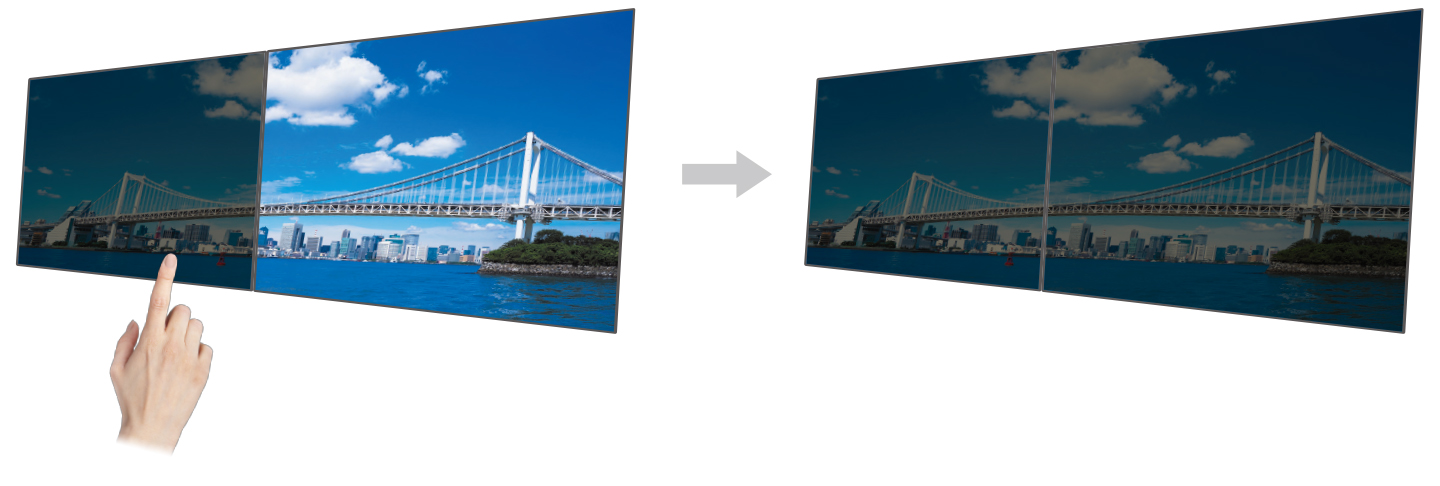
| Screen InStyle will apply any color adjustments you make to one monitor to the others on your desktop for consistent color across all screens. In addition, any changes detected by the brightness sensor of one monitor you assign will be applied uniformly to your other monitors. Furthermore, when daisy chaining multiple monitor monitors with USB Type-C, changes are conveniently reflected on all connected monitors automatically. | Monitor Control Utility |
Screen InStyle also has convenient functions for switching to your preferred display mode by active application and functions for managing multiple monitors from one location.
Commitment to Quality
EIZO manufacturers its products at its own factories to allow close control over production quality and ensure each monitor is built to last.
5-Year WarrantyFlexScan monitors are backed by a manufacturer’s 5-year warranty that covers all components, including the LCD panel*. This is two years longer than the standard warranty of most conventional monitors, contributing to significantly lower product life cycle costs. * Usage time is limited to 30,000 hours. |
 |
|
Zero Bright PixelsEIZO guarantees its FlexScan monitors will be free from bright sub-pixels for six months from the date of purchase. |
 |
Integrated Approach
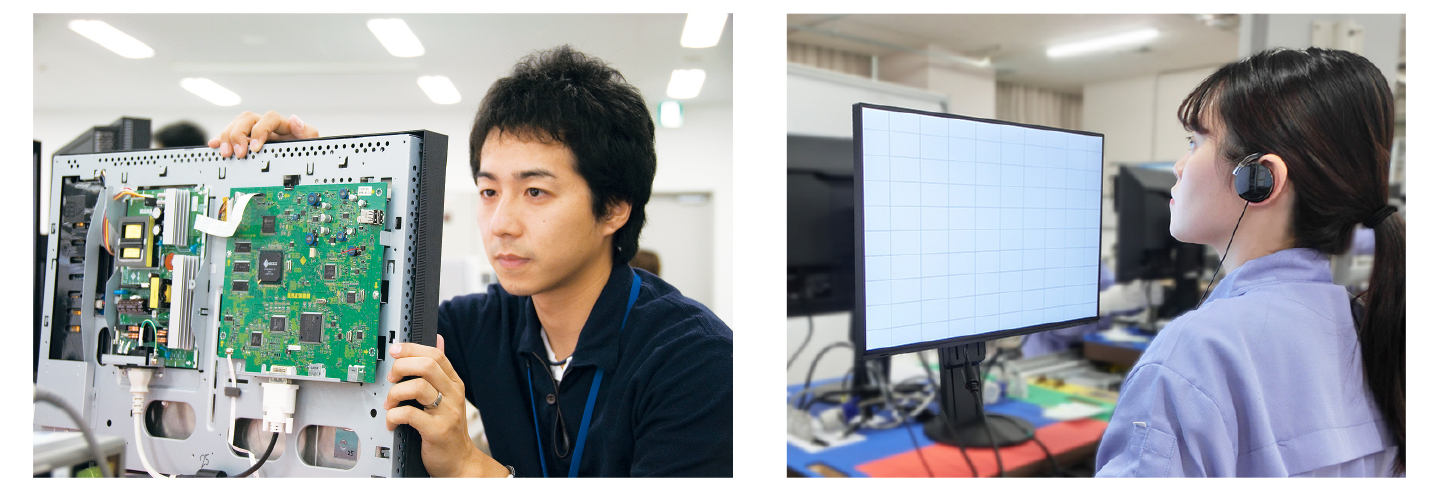
Each FlexScan monitor is developed, manufactured, and quality-control tested in-house at EIZO’s own factory to ensure every product is built to last.
Care for the Environment and You
Achieving a sustainable society where we do no harm to the environment nor waste precious resources is an important initiative for businesses and communities. FlexScan Sustainable Monitors are at the forefront of EIZO’s efforts to contribute to this sustainable future.

Reduce Power Consumption and Eyestrain
The monitor implements EIZO’s proprietary EcoView technologies, which cut power consumption by as much as 50% compared to displaying at maximum brightness. This also helps to reduce eyestrain when viewing the monitor for long periods.
・Auto EcoView: Automatically adjusts the screen’s brightness according to changes in the ambient lighting.
・EcoView Optimizer 2: Fine-tunes the balance between brightness and gain according to the content displayed on the screen.
*Typical power consumption when not using USB power delivery.

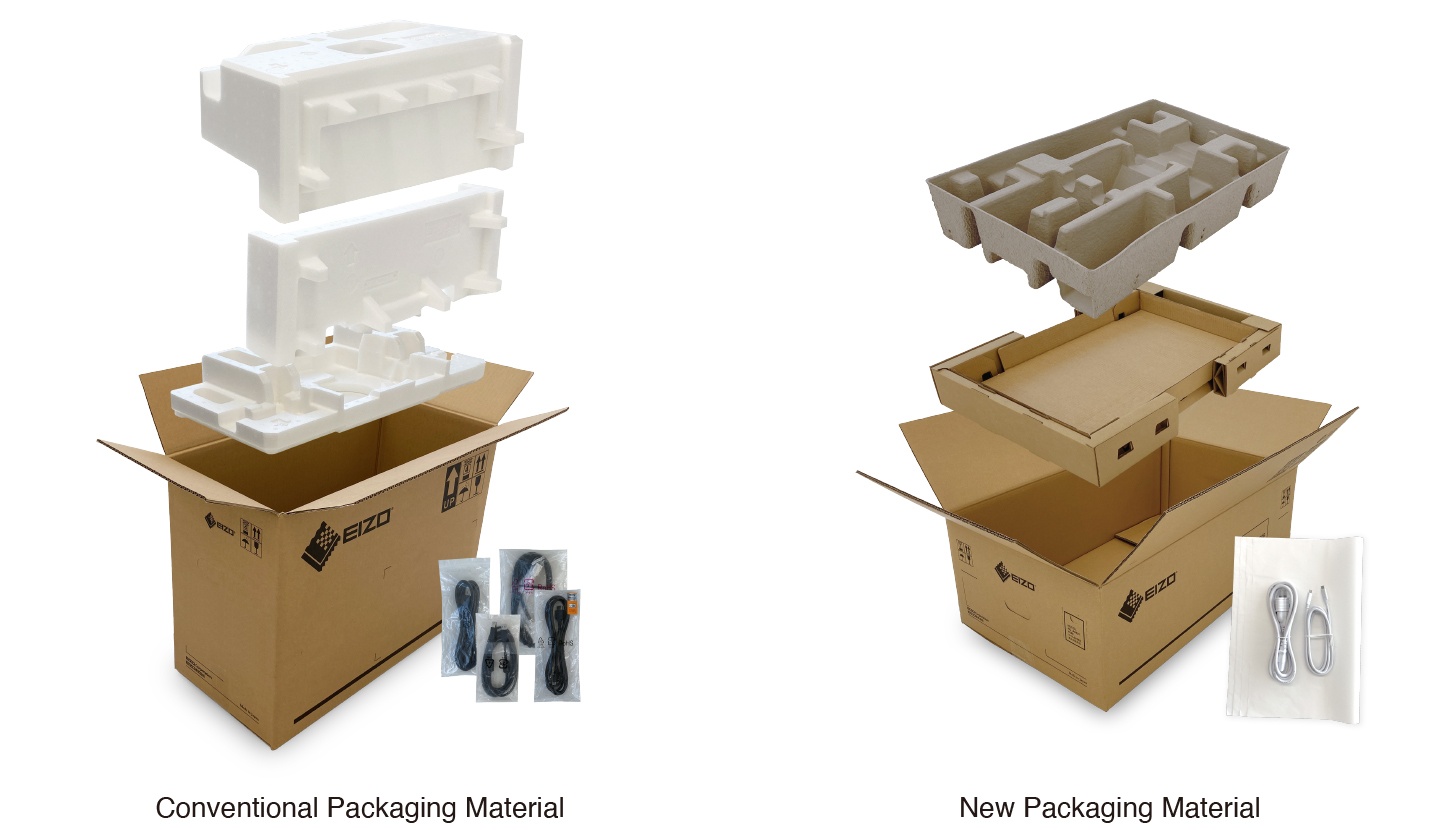
Cushioning Environmental ImpactFlexScan Sustainable Monitors are moving away from using plastic and styrofoam in the packaging to reduce environmental impact. The monitors are safely packed using molded pulp, which is made from recycled cardboard and newspaper, and cables are wrapped in paper instead of plastic bags. |
 |
Collective Environmental Consciousness
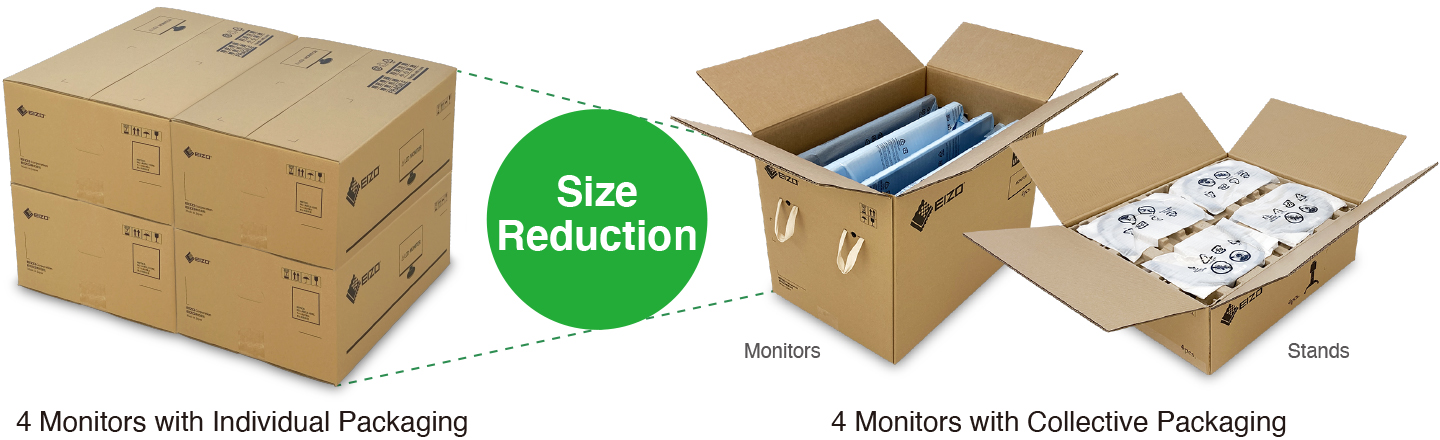
EIZO offers corporate customers a collective packaging option, where four monitors are packaged in a single box and four monitor stands are packaged separately, also in a single box. This reduces the total packaging materials used, improves loading efficiency during shipping, and streamlines unpacking and installation time.
Certified Sustainable
The monitor is certified by worldwide comprehensive sustainability standards including TCO Certified, generation 10 and EnergyStar. Furthermore, the monitor is registered at EPEAT Gold (highest tier), indicating that it meets the most demanding set of criteria for sustainability, and has attained the new EPEAT Climate+ designation for compliance with climate change standards. Organizations concerned with ESG (environmental, social, and governance) investments or SDGs can assuredly procure the monitor to meet required guidelines.



Our Contribution to SDGs
| As part of its sustainability initiatives, EIZO is contributing towards the United Nations’ Sustainable Development Goals (SDGs). |  |
Environmentally Conscious Product DevelopmentFlexScan embodies EIZO’s commitment to sustainability through the use of recycled materials and low-impact components. The monitors are optimized for energy efficiency, contributing to lower greenhouse gas (GHG) emissions. EIZO also collects and recycles used products to further minimize environmental impact. We strive to promote efficient and circular resource use across every stage of the product lifecycle – from parts and materials procurement to manufacturing, transportation, user experience, and end-of-life disposal. All production sites at EIZO’s headquarters in Japan operate on 100% renewable energy. |
   |
|
| Workstyle Innovation and Productivity FlexScan offers a versatile lineup and user-friendly features to support a wide range of workstyles. Each monitor can be adjusted to match individual preferences for screen position and display settings, while integrated eye care technologies help reduce eye fatigue during use. With reliable image quality and thoughtful design, FlexScan empowers business professionals to work more efficiently and comfortably. |
 |
Related products
Original price was: $1,990.00.$1,890.50Current price is: $1,890.50.
Call for Price
$39.95
Original price was: $2,078.00.$2,016.00Current price is: $2,016.00.